The best open-source Mac apps
Open-source Mac apps that are as good as paid ones: window management, menu bar tools, passwords and archives, plus a few well-known extras.

Written by Mac App Index Editorial



The best open-source Mac apps cover everyday jobs: Rectangle for window management, Ice and Hidden Bar for the menu bar, Bitwarden for passwords and Keka for archives. Each is free to use (or free from the developer's site), actively used by a large community, and its code is public.
How we picked: every app here publishes its source code, has had releases in recent years, and does its job as well as a paid alternative. The linked apps are the open-source ones in our catalog; the rest are well-known projects we mention for completeness.
Why open source matters on a Mac
Open-source code does not make an app automatically better, but it does help in specific ways. Anyone can check that the app does not collect data it should not. If the developer moves on, someone can fork the project and keep it alive. And most open-source Mac apps are free, so you can try them without a trial clock.
Rectangle: window management
Rectangle moves and resizes windows with keyboard shortcuts and snap areas. It covers halves, thirds, quarters, centring and moving windows between displays. It started as a fork of Spectacle, an older open-source window manager that stopped being developed, which is a good example of open source keeping a tool alive.
Ice and Hidden Bar: menu bar
Hidden Bar, from Dwarves Foundation, puts an arrow in the menu bar and hides everything to its left. It is minimal and stable.
Ice, by Jordan Baird, is more capable. It can hide items, show them in a separate bar below the menu bar, and search them. Ice's own releases have slowed, and by early 2026 a community fork called Thaw had picked up the code to keep it working on current macOS versions. That is another case where the licence made the difference.
Bitwarden: passwords
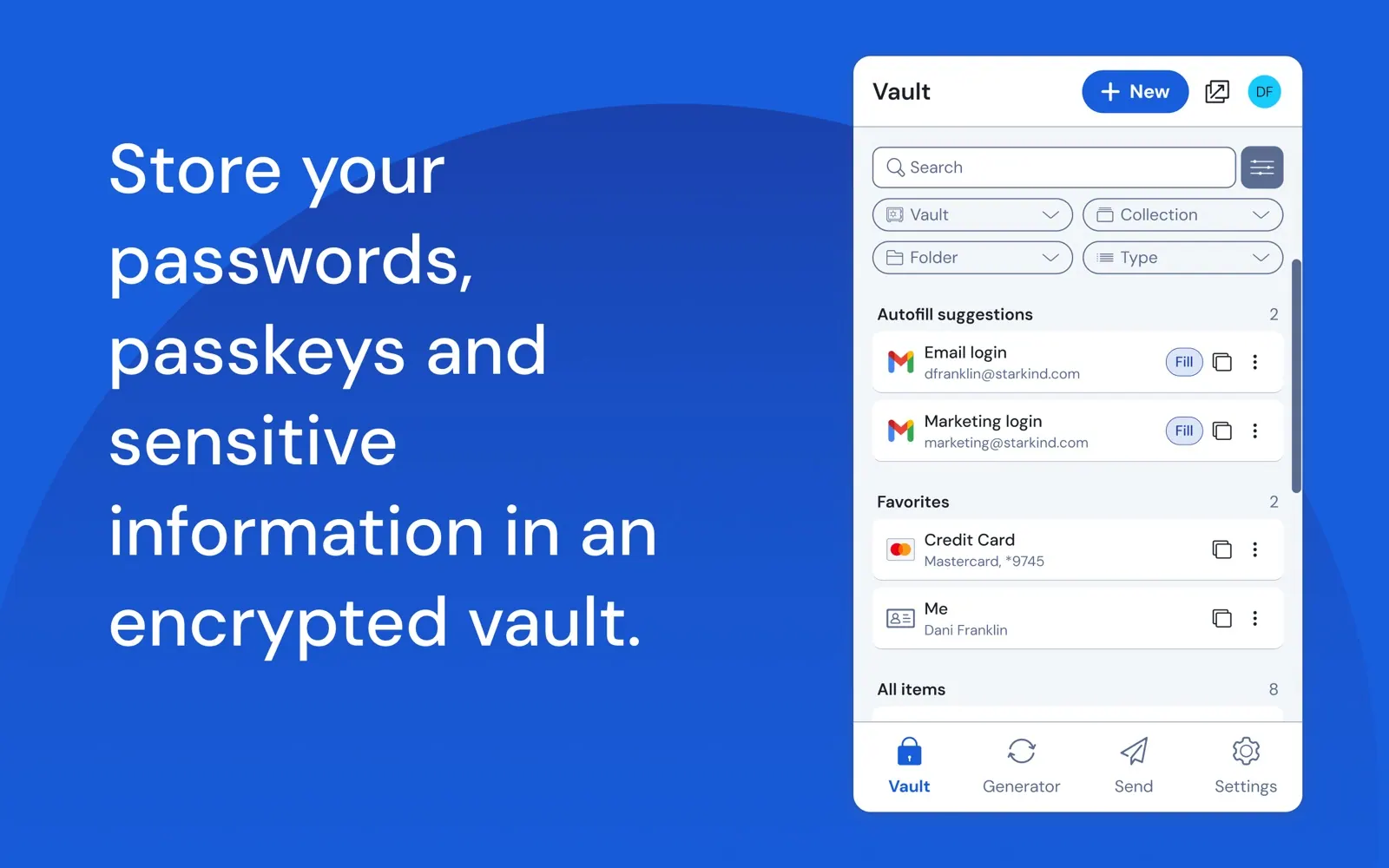
Bitwarden is an open-source password manager with end-to-end encryption, passkey support and regular third-party security audits. The free plan for individuals syncs unlimited passwords across devices. You can even host the server yourself.
Keka: archives
Keka creates and extracts ZIP, 7z, TAR and more, opens RAR files, and can protect archives with AES-256 encryption. Drag a folder onto its Dock icon to compress it. It is free from its website; the Mac App Store version costs a few dollars and supports the developer.
Well-known open-source apps not yet in our catalog
These are widely used and worth knowing about:
- IINA, a modern video player for macOS built on mpv.
- VLC, the long-running media player that plays almost anything.
- Stats, a menu bar system monitor for CPU, memory, disk and network.
- Maccy, a lightweight keyboard-driven clipboard manager.
- AltTab, which brings Windows-style window switching with previews.
- LuLu, a free firewall from Objective-See that alerts you to outgoing connections.
- MonitorControl, which adjusts brightness and volume of external displays from the keyboard.
What the licence actually changes for you
Most of these apps use licences such as MIT or GPL. For everyday users, the practical differences are small: you can use the app for free, and anyone may study or modify the code. The GPL also requires that modified versions stay open, which is why forks like Thaw remain open source.
What open source does not guarantee is support. If something breaks, you report an issue on GitHub and wait, rather than emailing a support team. For the apps in this list that has rarely been a problem, but it is worth knowing before you rely on an app for work.
How to install open-source Mac apps safely
- Download from the project's own website or its GitHub releases page, not from a mirror site.
- Prefer notarized builds. macOS warns you when an app is not notarized; most popular projects are.
- Consider Homebrew. Many of these apps install with a single command, such as brew install --cask rectangle, and Homebrew keeps them updated.
- Check activity. A recent release and an active issue tracker are good signs.
Where to find more
GitHub topics and curated lists such as "awesome macOS" collections are good places to discover more open-source Mac apps. Our own open-source collection only lists apps we have checked.
Paying for free software
Many of these projects accept donations or sell a paid version. Keka's App Store edition and Rectangle Pro are two examples. If an app saves you time every day, paying a few dollars helps keep it maintained.
Browse the full open-source collection, or browse the utilities and free menu bar apps where many of them sit.
FAQ
Are open-source Mac apps safe?
Popular, actively maintained ones are generally safe, and their public code makes hidden behaviour easier to spot. Download them from the official site or GitHub releases, and keep them updated.
Is open source the same as free?
Usually, but not always. Keka is open source and free from its website, but costs money on the Mac App Store. Bitwarden is open source with a paid Premium plan.
What happens if an open-source app stops being developed?
Someone can fork it. Rectangle grew out of Spectacle, and Thaw continues Ice's code. With a closed-source app, the code usually disappears with the developer.
Can I trust an app just because the code is public?
Public code means it can be checked, not that it has been. Audits, a known maintainer and an active community add confidence. Bitwarden, for example, publishes third-party audit results.