Zed 1.28.1 adds optional Git auto-fetch and a Refs column
Zed 1.28.1, the code editor from Zed Industries, adds opt-in automatic Git fetching, a resizable Git Graph Refs column and cmd-scroll font zoom on macOS.

Written by Mac App Index Editorial



Zed Industries released Zed 1.28.1, the latest weekly stable build of its Zed code editor, on 11 November 2026. The notes cover Git, the terminal, AI agents and remote workspaces. Zed runs on macOS 12.0 or later.
Zed 1.28.1 adds opt-in automatic Git fetching, a resizable Refs column in the Git Graph, drag-and-drop from the Git Panel into terminals and editors, and cmd-scroll font zoom in diff views and terminals. Auto-fetch is off until you turn it on.
What's new in Zed 1.28.1
The Git changes matter most to people who live in the editor, according to the Zed stable release notes for November 2026.
- Automatic fetch. Zed can now fetch the current branch's upstream remote and the default branch's remote on a timer. You enable it with
git.auto_fetch.enabled, andgit.auto_fetch.interval_secssets the interval, which is 60 seconds by default. The feature is disabled by default. Manual fetching stays available through the Git Panel buttons and thegit: fetchaction, as the Zed Git documentation describes. - Refs column in the Git Graph. The column is resizable, and you toggle it from the column header's context menu.
- Drag from the Git Panel. You can drag files from the Git Panel into the terminal and editor panes.
- Branch search in the worktree picker. You can now search worktrees by branch name.
- Mouse-wheel font zoom. With
mouse_wheel_zoomenabled,cmd-scrollzooms the font in diff views and terminals on macOS.
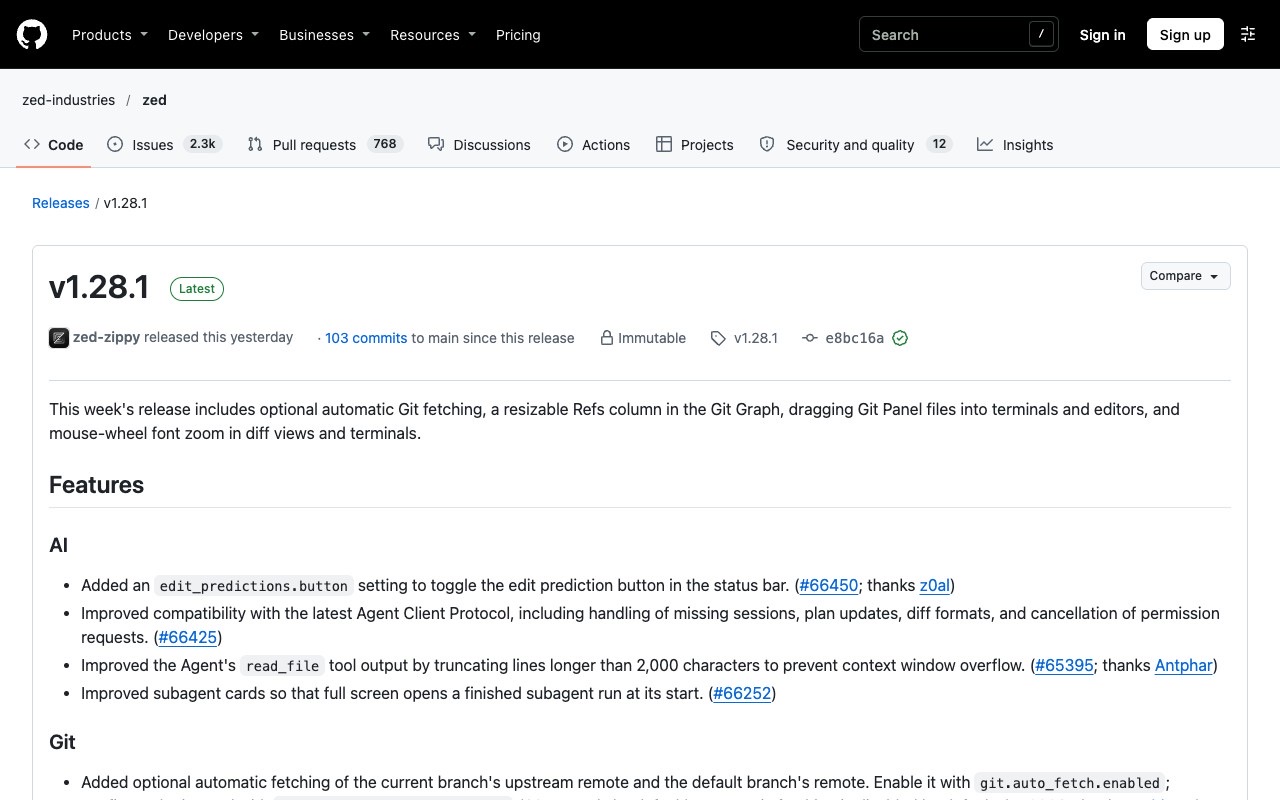 Source: Zed v1.28.1 release on GitHub, captured 12 November 2026.
The rest of the release is smaller:
- The agent's
read_filetool now truncates lines longer than 2,000 characters so they do not overflow the context window. - Zed's notes list fixes for agent context compaction, including a bug where auto-compaction ran only once during a long agent turn.
- Language server and agent downloads now get consistent checksum verification, and failed HTTP responses are rejected.
- SSH connections to macOS hosts no longer get stuck on "Starting Proxy" when the remote server cannot access the system pasteboard.
- The notes also list
edit_predictions.buttonto toggle the edit prediction button in the status bar, anddebugger.default_widthanddebugger.default_heightfor the debugger panel size.
At a glance
| Item | Detail |
|---|---|
| Version | 1.28.1 |
| Release date | 11 November 2026 |
| Price | Personal $0, Pro $10 per month, Business $30 per seat per month (Zed pricing) |
| macOS requirement | macOS 12.0 Monterey or later; screen sharing needs 12.3 or later (Zed installation docs) |
| Hardware | Intel and Apple silicon Macs |
| Get it | Zed download page, or brew install --cask zed |
What it means for Mac users
Most Zed users will notice nothing until they change a setting, because auto-fetch is opt-in. If you review pull requests or work against a busy shared branch, turning on git.auto_fetch.enabled keeps the Git Graph and branch status current without a manual fetch. The 60-second default is the only interval the notes state.
If you pick an editor partly for its Git tooling, the comparison points are close. Zed now has auto-fetch, a Git Graph and a worktree picker built in. Visual Studio Code and Sublime Text are the other editors many Mac developers weigh it against, and Fork is a dedicated Git client if you want Git in a separate app. Zed, Visual Studio Code, Sublime Text and Fork are all listed on Mac App Index with their prices, and you can see more options on Zed alternatives.
The Personal plan is free and works with your own API keys or external agents, according to Zed's pricing page, so the Git changes cost nothing to try.
What to watch
Zed ships weekly, so the next stable build arrives about seven days after this one. Auto-fetch is the change to follow: the notes keep it off by default, and Zed has not said whether that will change.
Key takeaways
- Zed 1.28.1 shipped on 11 November 2026 and adds optional automatic Git fetching.
- Auto-fetch is disabled by default and runs every 60 seconds once you enable
git.auto_fetch.enabled. cmd-scrollfont zoom in diff views and terminals needs themouse_wheel_zoomsetting enabled.- Zed 1.28.1 fixes SSH connections to macOS hosts that stuck on "Starting Proxy".
- Zed requires macOS 12.0 or later and supports Intel and Apple silicon Macs.
FAQ
Is Git auto-fetch on by default in Zed 1.28.1?
No. The release notes state that automatic fetching is disabled by default. You enable it with git.auto_fetch.enabled, and the interval defaults to 60 seconds.
Does Zed 1.28.1 work on macOS 15 Sequoia?
Yes. Zed's installation page lists macOS 15 Sequoia, macOS 26 Tahoe and macOS 27 Golden Gate as supported, and the minimum is macOS 12.0 Monterey.
How do I zoom the font with the mouse wheel in Zed?
Enable the mouse_wheel_zoom setting, then hold Cmd and scroll in a diff view or terminal. The release notes describe the shortcut as cmd-scroll on macOS.
Is Zed free to use?
Yes. Zed's Personal plan costs $0 and works with your own API keys or external agents. The Pro plan costs $10 per month and the Business plan costs $30 per seat per month.
Source: Zed v1.28.1 release notes on GitHub
Browse more editors, Git clients and terminals in Developer tools.