Alfred 6 adds the Alfred UI toolkit and new themes
Alfred 6 from Running with Crayons adds the Alfred UI workflow toolkit, a Liquid Glass Preferences overhaul and new themes. Powerpack costs £40.

Written by Mac App Index Editorial



Running with Crayons released Alfred 6, a major version of its keyboard launcher for Mac, on 18 November 2026 (build 3219). Two fix builds followed on 19 November 2026: 6.0.1 and 6.0.2. The headline addition is Alfred UI, a toolkit for building native interfaces inside workflows.
Alfred 6, the keyboard launcher from Running with Crayons, shipped on 18 November 2026 with the Alfred UI toolkit for building native workflow interfaces in JSON, a redesigned Preferences window with Light Mode, new themes and a faster contacts search. Powerpack is £40, and anyone who bought Alfred 5 in 2026 upgrades free.
What's new in Alfred 6
The biggest change is Alfred UI, a native macOS interface toolkit that workflow authors describe in JSON. According to the Alfred change log, it supports layout managers, buttons, checkboxes, pickers, text and password fields, rendered Markdown, progress bars, images, data views and web views. Scripts are optional. A UI can run inside Alfred or open as its own app with a Dock icon, and several can stay open at once.
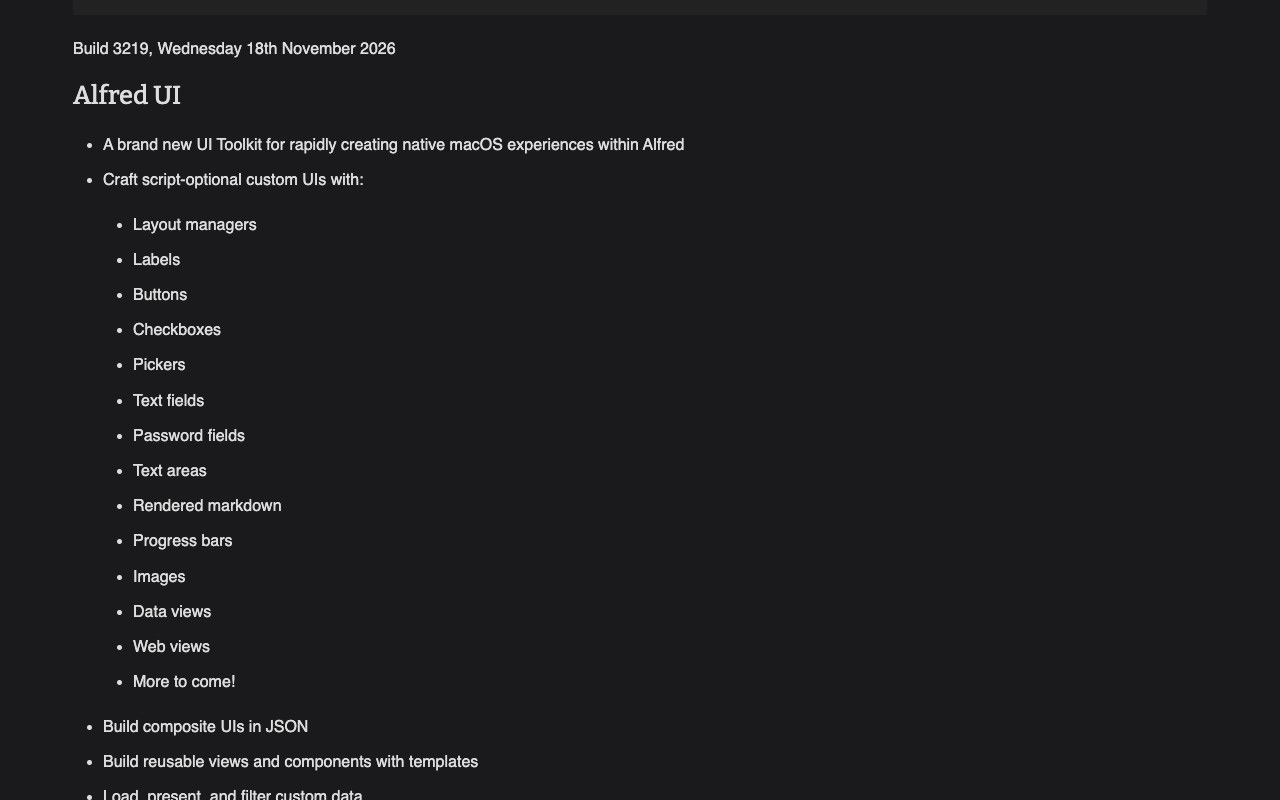 Source: Alfred change log, captured 20 November 2026.
Other changes in the 6.0 release, in the order most Mac users will notice them:
- Preferences: Alfred Preferences is rebuilt for modern macOS, with Liquid Glass elements and Light Mode, including the Workflow Editor. It still runs back to macOS 12.
- Themes: new Alfred 6 themes for Light and Dark with more spacing and brighter highlights, plus a Purple Ribbon theme. Older themes are removed, and the developer says it will make the archived ones available to download.
- Contacts: search uses a new internal engine, shows contact photos in default results, and handles diacritics and phonetic matches better. The option to search contacts through Spotlight is gone.
- Query History: typed queries are available from the up-arrow button, with a retention limit from 24 hours to 3 months. The
!keyword searches the history. - Clipboard History: the viewer can show up to 30 recent items, according to the What's New page, and the change log adds options for item count and preview text size.
- Fallback searches: customising fallback results, such as DuckDuckGo as the default, is now open to free users.
- Markdown: table rendering and GitHub-style
[!NOTE]blockquotes. - Workflows: a new Alfred UI workflow object, new contact workflow objects and search inside the 230-plus Automation Tasks.
The point releases are small. Version 6.0.1 fixes a contact-matching bug for queries starting with ? and adds a forcedAppearance default to pin Preferences to light or dark. Version 6.0.2 fixes a crash on an empty Markdown blockquote.
At a glance
| Item | Detail |
|---|---|
| Version | Alfred 6.0 (build 3219), with 6.0.1 and 6.0.2 on 19 November 2026 |
| Developer | Running with Crayons |
| Release date | 18 November 2026 |
| Price | Free core features; Powerpack £40 (single user) or £70 Mega Supporter (free lifetime upgrades) |
| Upgrade | Free for Alfred 5 licences bought in 2026 and for Mega and Legendary Supporters; discounted for earlier licences |
| macOS requirement | macOS 12 Monterey or later |
| Download size | 6.8 MB, according to TidBITS |
| Where to get it | alfredapp.com |
What it means for Mac users
Alfred 6 matters most to people who already pay for a Powerpack, because the upgrade terms depend on when they bought. The Getting Started post says a 2026 Alfred 5 licence converts free, while licences from before 2026 get a discount based on purchase date. Mega Supporter, at £70, includes free lifetime upgrades.
For people on the free tier, the useful changes are the new themes and fallback searches. Workflows, clipboard history and snippets still need Powerpack, according to TidBITS.
Alfred UI is aimed at workflow authors. It lets them build tables, forms and small apps without a scripting layer, which makes workflows less dependent on result lists. If you rely on community workflows, expect the first Alfred UI releases on the Alfred Gallery under the alfred-ui tag.
If you are weighing a switch, Raycast is the closest alternative on the site, and the Alfred alternatives page lists more. Clipboard history alone is covered by Paste and Maccy. All of them are listed on Mac App Index with their prices and macOS requirements, so you can compare before paying for a licence.
What to watch
Alfred's team says it has an internal roadmap to expand Alfred UI over the coming months and years. The open question is how many community workflows adopt it, since Alfred UI components only reach users once an author builds on them.
Key takeaways
- Alfred 6.0 shipped on 18 November 2026, with 6.0.1 and 6.0.2 following on 19 November 2026.
- Alfred UI lets workflow authors build native interfaces in JSON, with scripting optional.
- Powerpack is £40, or £70 for Mega Supporter with free lifetime upgrades.
- Alfred 5 licences bought in 2026 upgrade free; older licences get a discounted upgrade.
- Alfred 6 still runs on macOS 12 Monterey and later.
FAQ
Is Alfred 6 a free upgrade?
It depends on when you bought. Alfred 5 Powerpack licences bought in 2026 and all Mega and Legendary Supporter licences upgrade free, while earlier purchases get a discounted upgrade priced by original purchase date, according to the Alfred blog.
Does Alfred 6 work on macOS 12 or macOS 15?
Yes. Alfred 6 requires macOS 12 Monterey or later, so it runs on macOS 15 and on macOS 27 Golden Gate, which the developer built the release against.
Do I need a Powerpack to use Alfred 6?
No for the basics. App launching and file searching stay free, and fallback searches and the new built-in themes are open to free users. Workflows, clipboard history and snippets need a Powerpack licence.
What is Alfred UI?
Alfred UI is a JSON-based toolkit for building native macOS interfaces inside Alfred workflows. It covers buttons, text fields, pickers, data views and web views, and a UI can open as a standalone window with its own Dock icon.
Source: Alfred 6 change log
For more launchers and utilities, browse the Productivity category.