xFTP 1.4.0 adds auto upload for saved IDE changes
xFTP 1.4.0, the Mac FTP, SFTP and SSH client, adds optional per-connection auto upload with .xftpignore rules and conflict checks. It costs $19.99 once.

Written by Mac App Index Editorial



xFTP 1.4.0, the native FTP, SFTP and SSH client for Mac from developer Nicolai Bargan, reached the Mac App Store on 8 November 2026. Its headline change is auto upload, an optional setting for each FTP, FTPS or SFTP connection. The App Store listing sums it up as "Save in your IDE. Let xFTP handle the upload."
xFTP 1.4.0 adds optional auto upload to the Mac FTP, FTPS and SFTP client. After you pick a local folder and a fixed server destination, xFTP uploads files you save in your IDE and files your build tools generate, while the connection is open. It costs $19.99 once and needs macOS 15.
What's new in xFTP 1.4.0
xFTP 1.4.0 adds auto upload and the controls that decide what gets sent, according to the Mac App Store release notes for the update.
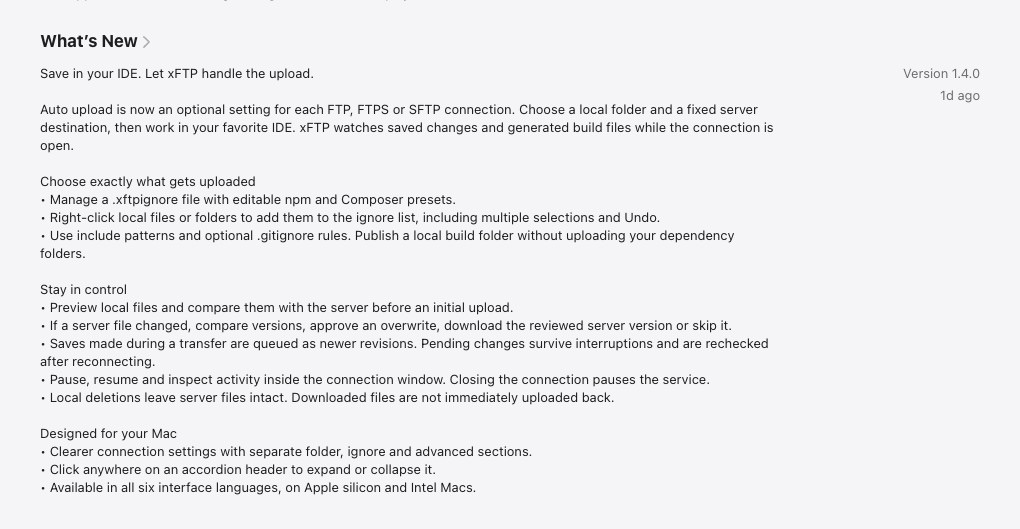
- Auto upload per connection. Turn it on in a connection's settings, choose a local folder and a fixed server destination, then work in your editor. xFTP watches saved changes and generated build files while the connection is open. Closing the connection pauses the service.
- Ignore rules. xFTP reads a
.xftpignorefile with editable npm and Composer presets. You can right-click local files or folders to add them to the ignore list, including several at once, with Undo. Include patterns and optional.gitignorerules are supported, so you can publish a local build folder without uploading dependency folders. - Conflict handling. Before the first upload you can preview local files and compare them with the server. If a server file changed, you can compare versions, approve an overwrite, download the reviewed server version or skip the file.
- Queueing. Saves made during a transfer are queued as newer revisions. Pending changes survive interruptions and are rechecked after a reconnect. You can pause, resume and inspect activity inside the connection window.
- Deletions. Local deletions leave server files intact, and files you just downloaded are not uploaded straight back.
- Settings layout. Connection settings now have separate folder, ignore and advanced sections, and a click anywhere on an accordion header expands or collapses it.
 Source: xFTP on the Mac App Store, captured 9 November 2026.
At a glance
| Fact | Detail |
|---|---|
| Version | 1.4.0 |
| Released | 8 November 2026, on the Mac App Store |
| Developer | Nicolai Bargan |
| Price | $19.99 one-time, no subscription or account |
| macOS requirement | macOS 15.0 or later |
| Processors | Apple silicon and Intel |
| Size | 8.8 MB |
| Protocols | FTP, explicit FTPS, SFTP and an SSH terminal |
| Where to get it | Mac App Store, with Family Sharing |
What it means for Mac users
If you edit a site locally and push it to a shared host, xFTP 1.4.0 now covers that loop without a manual upload step. The xFTP site names VS Code, Cursor and PhpStorm as editors it works alongside, and the update leaves your choice of editor alone. The catch is that xFTP has to stay running and connected while you work.
The other side of the choice is protocol range. xFTP lists four protocols: FTP, FTPS, SFTP and SSH. Transmit 5 costs $45 with a 7-day trial and requires macOS 13.0 or later, according to Panic's Transmit page, and lists cloud services such as Backblaze B2, Box, Google Drive and Dropbox. Cyberduck describes itself on cyberduck.io as a libre server and cloud storage browser for Mac and Windows, with S3, Azure, WebDAV and more. If you need cloud storage backends, those two cover more ground. Commander One is the dual-pane file manager to compare if you want a Finder replacement more than a server client.
The macOS 15 floor also matters: a Mac that still runs an earlier release cannot install xFTP 1.4.0. Visual Studio Code and the other editors you already use need no changes. xFTP, Transmit, Cyberduck and Commander One are all listed on Mac App Index with their prices and macOS requirements.
What to watch
The App Store listing says xFTP "hasn't received enough ratings or reviews to display an overview", so there is little public feedback yet on auto upload against production servers. The release pace is quick: 1.1.0 on 13 August, 1.2.0 on 26 October and 1.4.0 on 8 November, with 1.3.0 in between.
Key takeaways
- xFTP 1.4.0 adds optional auto upload for each FTP, FTPS or SFTP connection.
- Auto upload runs only while the connection is open, and closing the connection pauses it.
- A
.xftpignorefile with npm and Composer presets keeps dependency folders off the server. - xFTP costs $19.99 once and requires macOS 15.0 or later on Apple silicon or Intel.
- Local deletions never remove files from the server.
FAQ
Does xFTP 1.4.0 need a subscription?
No. xFTP is a one-time $19.99 purchase with no subscription or account, according to the developer's site and the Mac App Store listing. Updates arrive through the App Store.
Does xFTP 1.4.0 work on macOS 14?
No. The App Store listing says xFTP requires macOS 15.0 or later. It runs natively on Apple silicon and Intel Macs.
Does auto upload run when xFTP is closed?
No. The release notes say the service starts with the connection and pauses when you close it, so xFTP has to stay running and connected while you work.
Can xFTP 1.4.0 keep node_modules off my server?
Yes. The .xftpignore file ships with editable npm and Composer presets, and you can right-click any local file or folder to add it to the ignore list. The developer's site gives leaving node_modules/ behind as an example.
Source: xFTP on the Mac App Store
Browse more file transfer and server tools in Developer tools.