SetShot 1.0 logs macOS settings changes, free and open source
SetShot 1.0, a free open-source Mac app from TidBITS, snapshots over 830 macOS settings and logs what changed after updates. Needs macOS 13 or later.

Written by Mac App Index Editorial

SetShot 1.0, a free, open-source Mac utility published by TidBITS Publishing, was released on 3 November 2026. Adam Engst designed it, and the project README says Claude Code wrote it. TidBITS announced the 1.0 release in an article of 13 November 2026, after eight beta builds that followed 1.0b26 in August.
SetShot 1.0 is a free, open-source utility from TidBITS Publishing that takes snapshots of macOS settings and shows what changed between any two of them. It needs macOS 13 Ventura or later, recognizes over 830 settings, and never changes a setting itself. It is useful if you wonder what a macOS update touched.
What's new in SetShot 1.0
SetShot 1.0 is the first non-beta build, and the 1.0 release itself adds VoiceOver support for selecting and comparing snapshots, according to the SetShot release notes. The rest of the feature set arrived across the betas:
- Control-click a snapshot and choose Use as Before or Use as After to pick which side of a comparison it sits on. VoiceOver users find both in the Actions rotor.
- Privacy permissions are tracked, so SetShot reports when an app gains or loses Full Disk Access, camera, microphone, screen recording, accessibility and about twenty other permissions. This needs Full Disk Access for SetShot itself (1.0b27, 1 September 2026).
- Security settings are reported: System Integrity Protection, Gatekeeper, FileVault and the firewall. Login Items and Extensions switches are captured too (1.0b29, 27 September 2026).
- VPNs and other network connections are listed by name, kind and on/off state. The release notes use Tailscale as the example of a VPN that used to go unnoticed.
- Wallpaper and screen saver changes, sound input and output devices, the default browser and mail client, launch agents and daemons, DNS servers, proxies and Time Machine destinations are tracked.
- Snapshots read about 500 preference files in one pass instead of launching a separate process for each, and you can cancel a capture with Escape, Command-period or Control-C.
- A bundled copy of the knowledge base lets SetShot describe changes without an Internet connection (1.0b33, 29 October 2026).
- A new Ignored Changes section hides chatty changes: sound devices, screenshot settings and DNS servers handed out when you switch networks.
- Comparisons and the Journal export to HTML or Markdown, and the Markdown version has a checkbox for each change.
SetShot scans 20 sources of macOS system data, including over 500 preference files, and ignores over 1750 items that macOS changes on its own, according to the TidBITS article. It compares snapshots against built-in baselines of a clean macOS 15 Sequoia, macOS 26 Tahoe or macOS 27 Golden Gate install.
At a glance
The facts below come from the SetShot product page and the project's GitHub page.
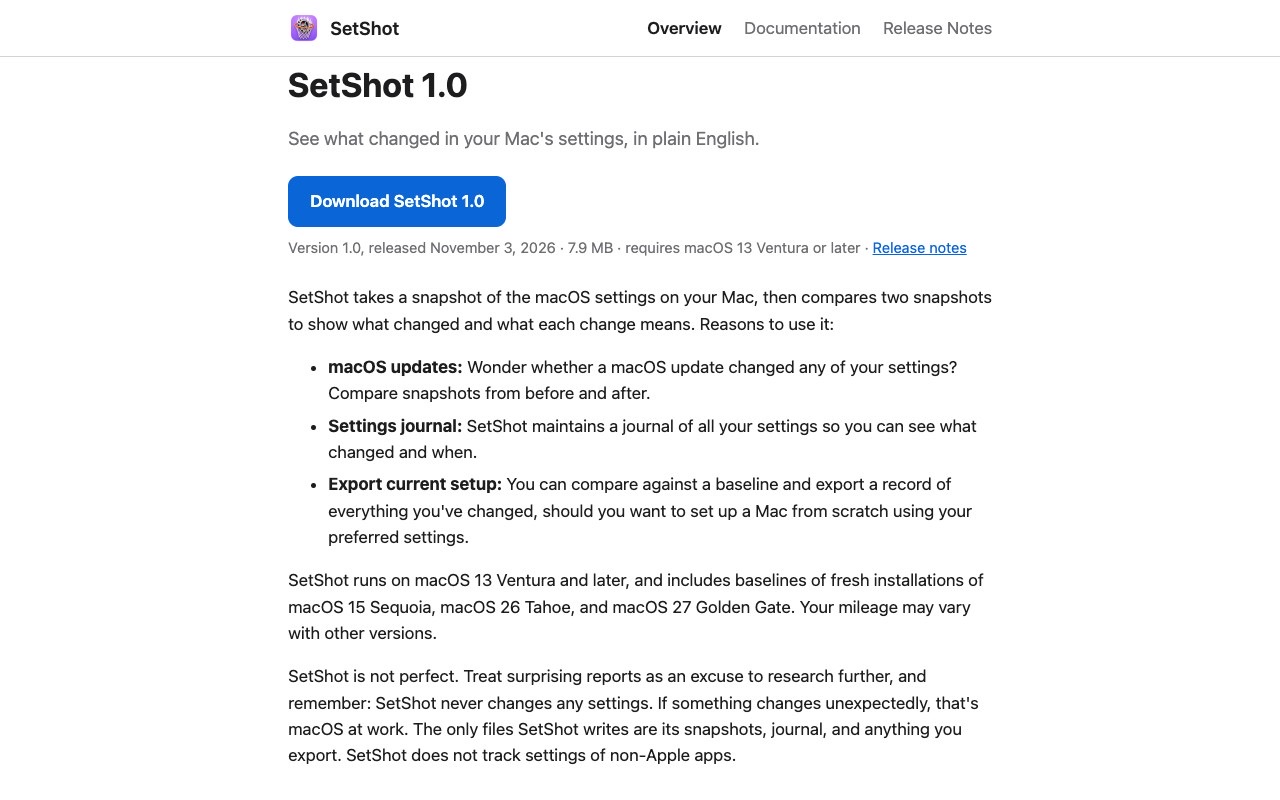 Source: SetShot product page, captured 14 November 2026.
| Fact | Detail |
|---|---|
| Version | 1.0 |
| Release date | 3 November 2026 |
| Price | Free, open source |
| macOS requirement | macOS 13 Ventura or later |
| Baselines included | macOS 15 Sequoia, macOS 26 Tahoe, macOS 27 Golden Gate |
| Download size | 7.9 MB |
| Made by | Designed by Adam Engst, published by TidBITS Publishing |
| Where to get it | The TidBITS SetShot page and the GitHub repository |
What it means for Mac users
SetShot gives you a record of what changed in System Settings, with the before and after values and, where possible, a button that opens the right pane. Engst writes that he has not caught Apple changing a setting during an update. One scheduled comparison in September did show his default browser switching from Arc to Safari, though, and links opened in Safari even while System Settings still listed Arc. Choosing Brave and then Arc again fixed it.
The app reports changes and leaves them alone. If a comparison shows something you dislike, you flip the switch yourself. SetShot also does not track settings of non-Apple apps, and the product page asks users to "treat surprising reports as an excuse to research further."
It sits beside tools that watch live activity rather than stored settings. Little Snitch lets you see and control outgoing connections, LuLu is a free open-source firewall, and OverSight alerts you when your mic or camera turns on. SetShot's permission and network tracking answers a different question: what is configured now compared with last week. All four are listed on Mac App Index with their prices and macOS requirements.
What to watch
Engst lists hidden defaults write settings, tracking of MDM configuration profiles, settings of non-Apple apps and Siri AI support once macOS 27.3 ships among his ideas for later versions. He says how much he adds depends on user feedback and on people becoming TidBITS members. A defaults key readout, requested by John Gruber after a highlight color change, is on his list.
Key takeaways
- SetShot 1.0 was released on 3 November 2026 and is free and open source.
- It needs macOS 13 Ventura or later and includes clean-install baselines for macOS 15, 26 and 27.
- It compares snapshots of over 830 recognized settings and keeps a Journal of every change.
- It never writes settings, so any fix is yours to apply by hand.
- Version 1.0 adds VoiceOver support and the Use as Before and Use as After commands.
FAQ
Is SetShot 1.0 free?
Yes. SetShot 1.0 is free and open source, and its source code is on GitHub. Engst asks users who find it useful to become TidBITS members, but the app does not require payment.
Does SetShot work on macOS 27 Golden Gate?
Yes. SetShot runs on macOS 13 Ventura and later and ships with a baseline for a fresh macOS 27 Golden Gate install, alongside baselines for macOS 15 Sequoia and macOS 26 Tahoe. The product page says your mileage may vary with other versions.
Does SetShot change my Mac's settings?
No. SetShot never changes settings. The only files it writes are its snapshots, its journal and anything you export, so you restore an old value by hand in System Settings.
Does SetShot send my settings to TidBITS?
Not unless you choose to. Snapshots, comparisons and journal entries stay on your Mac, according to the product page. Only the submissions and support messages you send yourself leave your Mac.
Source: SetShot 1.0
Browse more open-source Mac apps in the open-source collection.