OBS Studio 33 fixes a macOS 27.2 launch crash
OBS Studio 33.0.0, released 23 October 2026, fixes a launch crash on macOS 27.2, moves browser sources to CEF 150 and improves Screen Capture transparency.

Written by Mac App Index Editorial



OBS Studio 33.0.0, the open-source recording and live streaming app, was released on GitHub on 23 October 2026. According to the release notes, it updates the browser engine, rebuilds how plugins load and fixes a crash on macOS 27.2 when starting the app.
OBS Studio 33.0.0 is worth installing on a Mac mainly for a fix: the release notes list a crash on launch on macOS 27.2 as fixed. It also updates the browser source engine to CEF 150 and improves Screen Capture transparency. Mac plugin folders stay where they are.
What's new in OBS Studio 33.0.0
The release notes lead with a browser engine update and a plugin loader overhaul, but two items matter most on a Mac: the launch crash fix and the Screen Capture change.
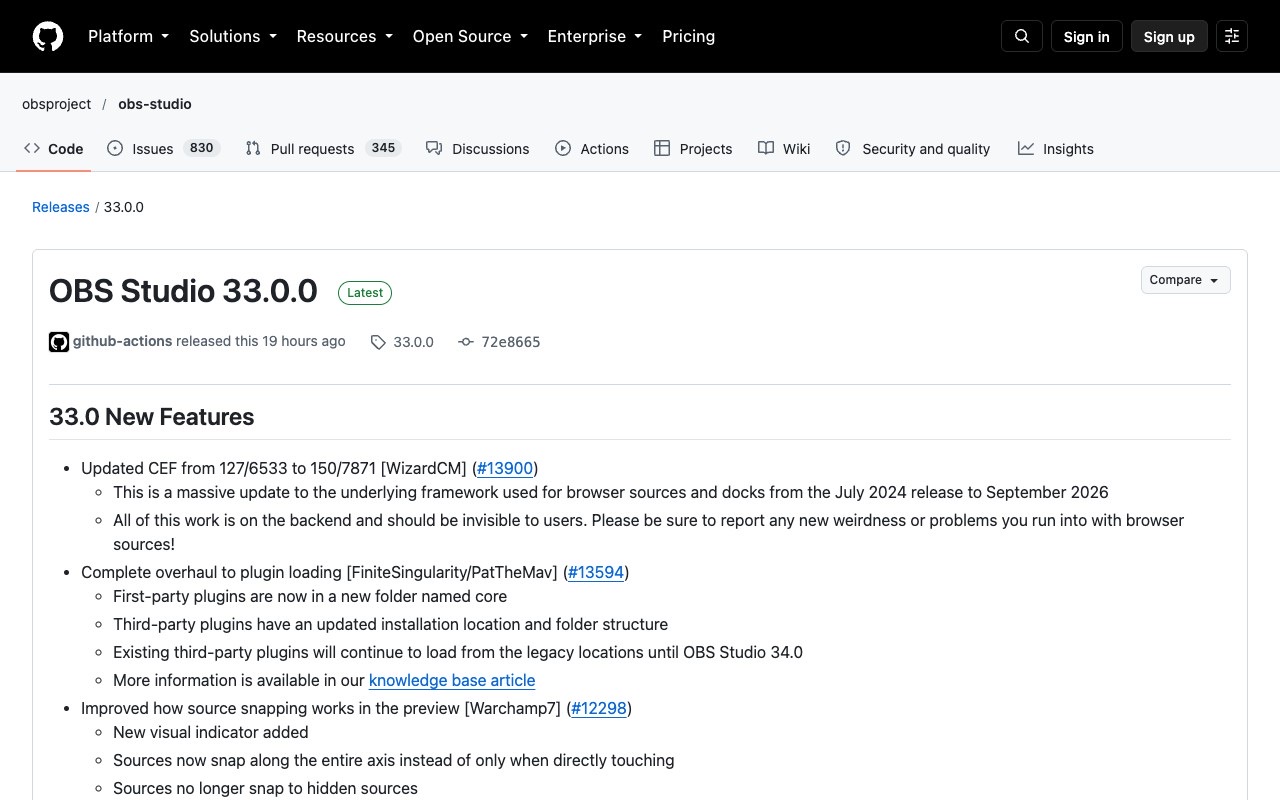 Source: OBS Studio 33.0.0 release notes, captured 24 October 2026.
- Launch crash on macOS 27.2. The notes list "Fixed a crash on macOS 27.2 when starting OBS Studio". The bug report, opened on 20 October 2026, describes OBS crashing about five seconds after launch on macOS 27.2 (build 26B118) on Apple Silicon. The reporter says both 32.2.2 and 33.0.0-rc2 crashed, and that a clean config and a reboot did not help. The reporter traced it to QTBUG-147602, a use-after-free in Qt 6.11.1. The fix is pull request 14070, merged on 23 October 2026, which backports the Qt patch.
- Screen Capture transparency. The notes say OBS "improved transparency handling for macOS Screen Capture". In the pull request, its author says the old pixel format kept only two bits of alpha, and the new RGBA64Half format gives the alpha channel the same 16-bit float precision as color. That lets a captured window sit in front of other content with accurate transparency. The author also notes that ScreenCaptureKit does not document this format, though the team received guidance that using it should be acceptable.
- Browser sources. OBS moved its Chromium Embedded Framework from 127/6533 to 150/7871, which the notes date from the July 2024 release to September 2026. The notes call the work invisible to users and ask people to report problems with browser sources.
- Plugin loading. First-party plugins now live in a folder named core, and third-party plugins get a new install location and folder structure. Plugins in legacy locations keep loading until OBS Studio 34.0.
- Smaller changes. Hotkeys now control audio monitoring for a source, source snapping in the preview works along the whole axis and skips hidden sources, number spinboxes accept typing more reliably, and Safe Mode no longer starts the WebSocket Server.
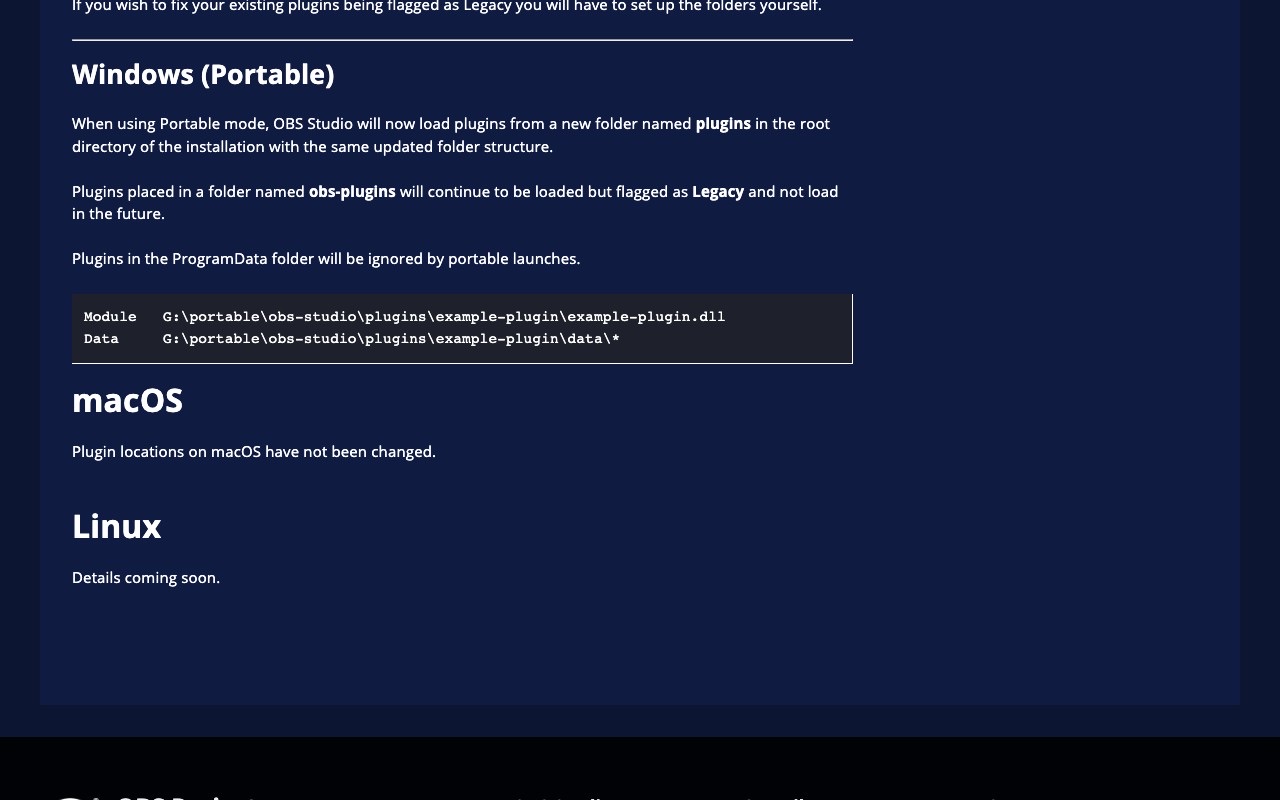 Source: OBS knowledge base, Legacy Plugin Locations, captured 24 October 2026.
At a glance
| Item | Detail |
|---|---|
| Version | 33.0.0 |
| Release date | 23 October 2026 |
| Mac downloads | Apple silicon and Intel disk images, listed on the GitHub release |
| Mac fix | Crash on launch on macOS 27.2 |
| Browser engine | CEF 150/7871, up from 127/6533 |
| macOS plugin folders | Unchanged, per the OBS knowledge base article dated 21 September 2026 |
| Where to get it | OBS Studio on the OBS GitHub releases page |
What it means for Mac users
If OBS stopped launching after you moved to macOS 27.2, install 33.0.0. The bug report says 32.2.2 crashed the same way, so staying on the older release does not avoid it.
Plugin users on a Mac have nothing to move. The OBS knowledge base says macOS plugin locations have not changed, and the plugin manager pull request says the same. The Windows folder changes in that article do not apply.
If you stream with browser source overlays such as alerts or chat, open each scene once after updating, since the notes ask for reports of browser source problems. If you record windows with transparency, Screen Capture now keeps more of the alpha channel.
If OBS is more than you need, the apps on Mac App Index cover narrower jobs: CleanShot X for screenshots and screen recording, Gifox for screen recordings as GIFs, and Audio Hijack for recording audio from any app. All are listed on Mac App Index with their prices.
What to watch
The OBS knowledge base says legacy plugin locations stop loading from OBS Studio 34.0, and its Linux section reads "Details coming soon". The OBS download page still listed 32.2.2, released 14 August, when read on 24 October 2026, so check the GitHub release if the installer link there looks old.
Key takeaways
- OBS Studio 33.0.0 was released on 23 October 2026 and lists a fix for a crash when starting the app on macOS 27.2.
- The bug report says OBS 32.2.2 crashed on launch on macOS 27.2 as well, so the fix matters to users who have not updated.
- macOS Screen Capture now uses a pixel format with more transparency precision.
- Browser sources run on CEF 150, up from CEF 127.
- Plugin locations on macOS are unchanged, while legacy locations on other platforms stop loading in OBS Studio 34.0.
FAQ
Does OBS Studio 33 fix the macOS 27.2 launch crash?
Yes. The 33.0.0 release notes list "Fixed a crash on macOS 27.2 when starting OBS Studio". The fix is a backport of a Qt patch for QTBUG-147602, merged on 23 October 2026.
Do I need to move my OBS plugins on macOS?
No. The OBS knowledge base article on legacy plugin locations says plugin locations on macOS have not been changed. The new folder structure applies to Windows, and Linux details are listed as coming soon.
Will my OBS browser sources change in version 33?
They should look the same. OBS updated its browser engine from CEF 127 to CEF 150, and the release notes call the work invisible to users. They ask people to report any new problems with browser sources.
Source: OBS Studio 33.0.0 release notes
Compare more recording and streaming tools in the Video & audio category.