LuLu 4.5.7 adds a native setup flow and one alert per process
LuLu 4.5.7 from Objective-See rebuilds first-run setup as native macOS views and shows one alert per process instead of a new prompt on every connection.

Written by Mac App Index Editorial




Objective-See released LuLu 4.5.7, the free open-source macOS firewall, on GitHub on 2 November 2026. The update rebuilds LuLu's welcome, permissions, configuration and support screens as native macOS views. It also changes how alerts behave for a process that connects over and over.
LuLu 4.5.7 rebuilds the first-run setup screens as native macOS views and stops a repeatedly connecting process from opening a new alert every time. It matters most to people installing LuLu fresh and to anyone whose launchd jobs kept triggering prompts.
What's new in LuLu 4.5.7
The notes list four changes, in this order:
- New first-run experience. The welcome, permissions, configuration and support screens are now native macOS views. The permissions screen walks you through approving LuLu's system extension and network filter one step at a time, shows the status of each and lets you retry if something fails.
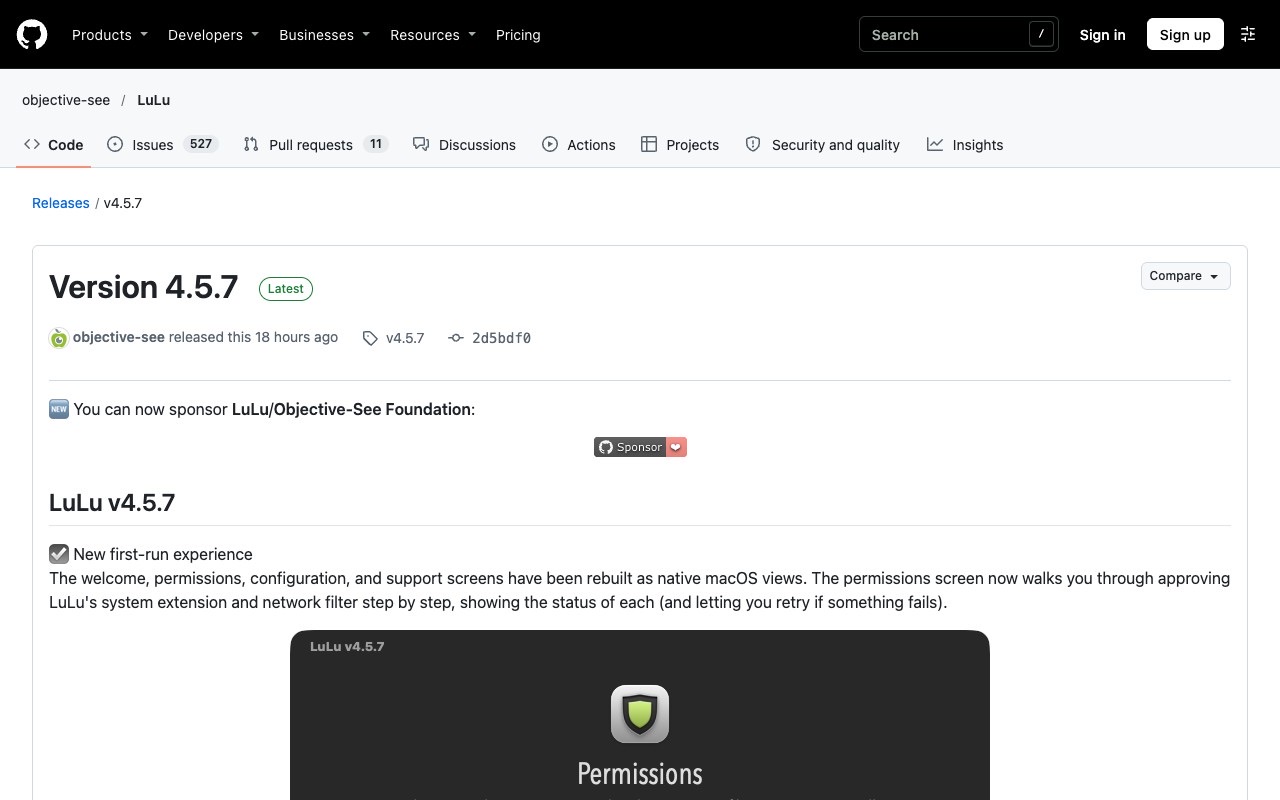 Source: LuLu 4.5.7 release notes, captured 3 November 2026.
- One alert per process. Per the release notes, a process that keeps reconnecting, such as a tool run hourly by
launchd, "no longer opens a new alert every time it runs." LuLu shows a single alert and holds later connections from that process until you respond. Your answer then applies to all of them. The change is tracked as issue #922 on GitHub. - Status bar popover. The first-run hint that points at LuLu's status bar icon now also closes when you click the icon.
- Localizations. All user-facing strings, including the new first-run screens and a handful of older ones that had been missed, are translated in all 13 supported languages.
At a glance
| Item | Detail |
|---|---|
| Version | 4.5.7 |
| Release date | 2 November 2026 |
| Developer | Objective-See |
| Price | Free and open source |
| macOS requirement | macOS 10.15 or later |
| Languages | 13 |
| Where to get it | Objective-See LuLu page and GitHub releases |
What it means for Mac users
If you already run LuLu, the visible gain is quieter alerts. LuLu only monitors outgoing traffic, according to Objective-See's documentation, and its alerts ask you to allow or block a process. A scheduled job that reconnected every hour used to ask again on each run. In 4.5.7 you answer once.
If you are setting up a new Mac, the permissions screen is the part that changes. Approving the system extension and network filter is a multi-step process driven by macOS, and the page now shows the status of each step. You can retry a failed step without starting over.
LuLu 4.5.7 follows 4.5.6 on 1 November 2026 and 4.5.5 on 30 October 2026. Both of those releases fixed upgrade problems, including cases where LuLu could not communicate with its system extension. If an upgrade left you with a blank Rules window or missing alerts, check that you are on the current build.
For comparison, Little Snitch is the other app on the site that lets you see and control outgoing connections. Developers who want to inspect HTTP traffic rather than block it can look at Proxyman, and OverSight covers a different gap by alerting you when your mic or camera turns on. All of them are listed on Mac App Index with their prices and macOS requirements.
What to watch
Objective-See has shipped 4.5.2 on 18 October 2026, 4.5.3 on 20 October, 4.5.4 on 27 October, 4.5.5 on 30 October, 4.5.6 on 1 November and now 4.5.7. The 4.5.6 notes say upgrading from any older version now connects on the first try with no re-approval, so the next releases will show whether the upgrade fixes hold.
Key takeaways
- LuLu 4.5.7 shipped on 2 November 2026 and is free and open source.
- The first-run welcome, permissions, configuration and support screens are now native macOS views.
- A process that reconnects repeatedly now triggers one alert, and your answer applies to its later connections.
- The permissions screen shows the status of the system extension and network filter approvals and lets you retry.
- All user-facing strings are translated in 13 languages.
FAQ
Is LuLu 4.5.7 a free update?
Yes. Objective-See describes LuLu as a free, open-source firewall, and the 4.5.7 build is available from its product page and from GitHub releases.
What macOS version does LuLu 4.5.7 need?
macOS 10.15 or later. That is the requirement printed on Objective-See's LuLu page next to the 4.5.7 download.
Will LuLu 4.5.7 stop repeat alerts from the same app?
Yes, for a process that keeps reconnecting. LuLu now shows one alert, holds the later connections until you respond and applies your answer to all of them.
What changed in the LuLu setup screens?
The welcome, permissions, configuration and support screens are now native macOS views. The permissions screen shows the status of the system extension and network filter approvals and lets you retry if one fails.
Source: LuLu 4.5.7 release notes on GitHub
Browse more firewalls and privacy tools in the Security & privacy category.