The best free Mac apps worth installing
Free Mac apps that are good enough to keep: window management, menu bar tools, passwords, notes and more, with what the free version actually includes.
Written by Mac App Index Editorial


The best free Mac apps are the small utilities that fix one annoyance well: Rectangle for windows, Ice or Hidden Bar for the menu bar, Amphetamine to stop sleep, Bitwarden for passwords and Tot for scratch notes. All of them are free with no time limit.
How we picked: every app here is either fully free or has a free tier you can use indefinitely without nagging. We left out trials and apps whose free version is too limited to be useful. Details come from each app's listing in our catalog.
Fully free
These cost nothing and have no paid upgrade you need.
Rectangle
Rectangle moves and resizes windows with keyboard shortcuts and snap areas on the screen edges. It is open source and covers halves, thirds, quarters and centring. There is a paid Rectangle Pro from the same developer, but the free app is complete on its own.
Ice and Hidden Bar
Both hide menu bar icons you rarely use. Hidden Bar is the simplest: one arrow, click to hide or show, with an optional auto-hide delay. Ice does more, with a search panel for hidden items and a way to rearrange them. Both are open source.
Amphetamine
Amphetamine keeps your Mac awake for a set time, while a chosen app runs, or until a download finishes. It lives in the menu bar and has no ads or upsells, which is rare for a free app that has been around this long.
Tot
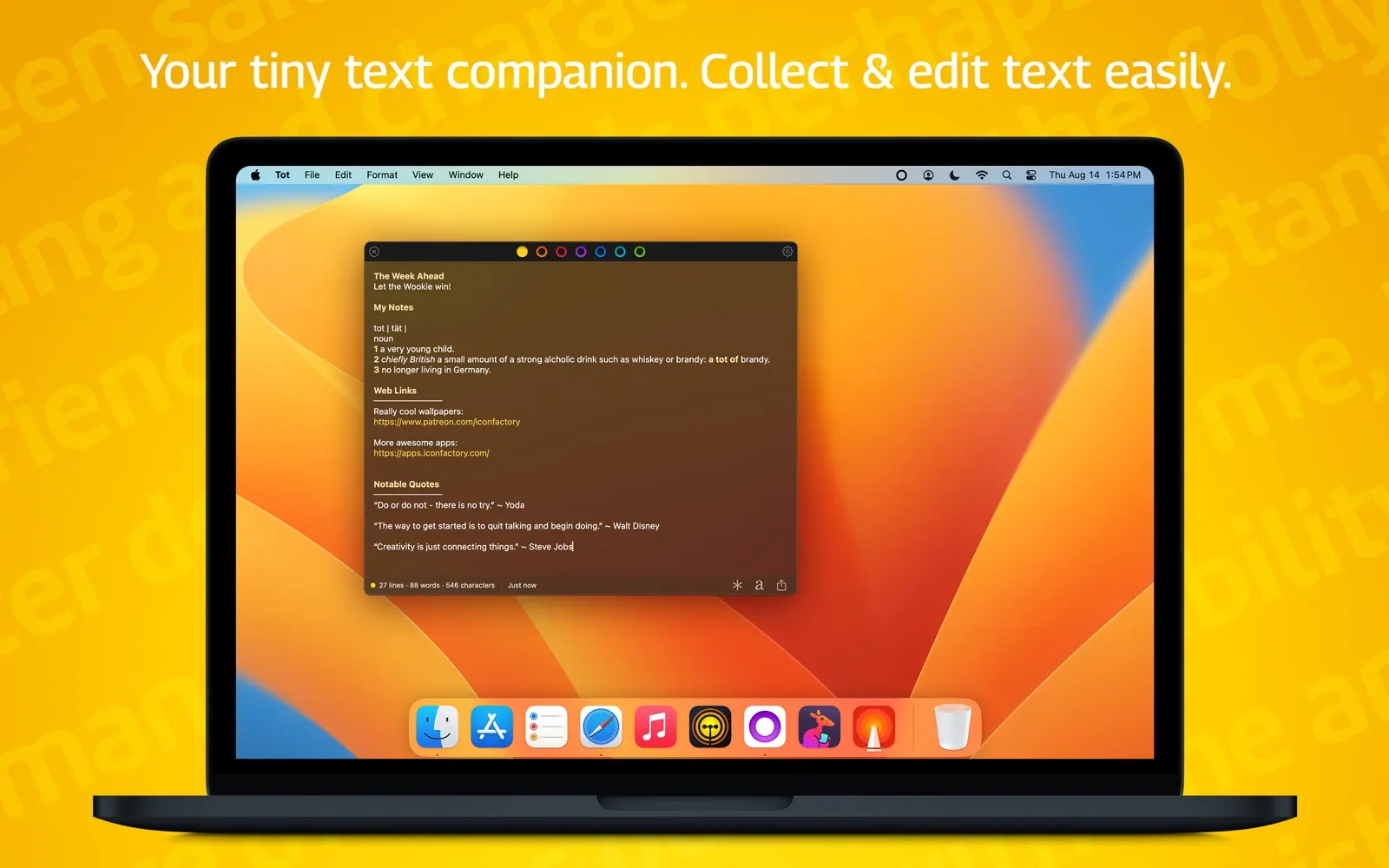
Tot from The Iconfactory gives you seven coloured dots, each holding one scratch note. It sits in the menu bar and supports plain text and Markdown. The Mac version is free; the iPhone app is a separate purchase if you want sync.
Free with an optional upgrade
These have a paid tier, but the free version is good enough to use daily.
Bitwarden
Bitwarden is an open-source password manager. The free plan for individuals includes unlimited passwords, sync across devices, and passkey support. The paid Premium plan adds extras such as built-in two-factor codes and file attachments.
Raycast
Raycast is a launcher that replaces Spotlight. The free version includes app and file search, clipboard history, snippets, window management commands and the extension store. AI chat, cloud sync and some newer features sit behind Raycast Pro.
Drafts
Drafts opens to a blank page every time, so you can capture a thought before deciding where it goes. The free version covers writing and basic actions; Drafts Pro adds customisation and more advanced automation.
Bear
Bear is a Markdown notes app with nested tags. You can use it free on a single device. Bear Pro, a subscription, adds sync across devices, encrypted notes and more export formats.
Flow and Session
Two focus timers with usable free tiers. Flow is a simple Pomodoro timer in the menu bar that can block distracting apps. Session adds intentions and weekly reports. Both reserve some features for paid plans.
Free, but only from the developer's site
Keka compresses and extracts ZIP, 7z, RAR and more, and can create AES-256 encrypted archives. It is open source and free to download from its website. The Mac App Store version costs a few dollars and exists mainly to support the developer, with the same features.
Free apps Apple already gives you
Before you install anything, check what is already on the Mac:
- Preview edits PDFs, signs documents and crops images.
- Notes handles tables, checklists, scanned documents and shared folders.
- Freeform is a decent whiteboard.
- Spotlight in macOS Tahoe can keep a clipboard history once you enable it in its settings.
- Window tiling has been built in since macOS Sequoia.
Third-party apps earn a place when they do one of these jobs noticeably better, which is the case for most of the apps above.
How to tell a good free app from a bad one
A few signals help:
- Open source code, as with Rectangle, Ice, Hidden Bar, Bitwarden and Keka, means anyone can check what the app does.
- A clear business model. Freemium apps that sell a Pro tier have a reason to keep the free version honest.
- No ads in the menu bar, no "rate us" popups on launch, and no requests for permissions the app does not need.
- Recent updates. A free app that has not been touched in years may break on the next macOS release.
You can browse every free app in our free collection, or narrow it down by category, such as free productivity apps and free menu bar apps.
FAQ
What is the best free app for a new Mac?
If you install only one, make it Rectangle or Raycast. Both change how you use the Mac every few minutes. Bitwarden is the most important one for security.
Are open-source Mac apps safe?
Open source means the code is public, which makes hidden tracking harder to get away with. It does not guarantee quality, so stick to projects with recent releases and an active issue tracker. Rectangle, Ice, Hidden Bar, Bitwarden and Keka all fit that description.
Is Raycast really free?
Yes. The launcher, clipboard history, snippets, window commands and extensions are free. You pay for Raycast Pro if you want AI features, cloud sync and a few extras.
Why does Keka cost money on the App Store but not on its website?
The developer offers it both ways. The paid App Store version is a way to support the project and get automatic updates through the store. The features are the same.
Apps in this guide