Submit app
MyMacStorage icon
New

MyMacStorage

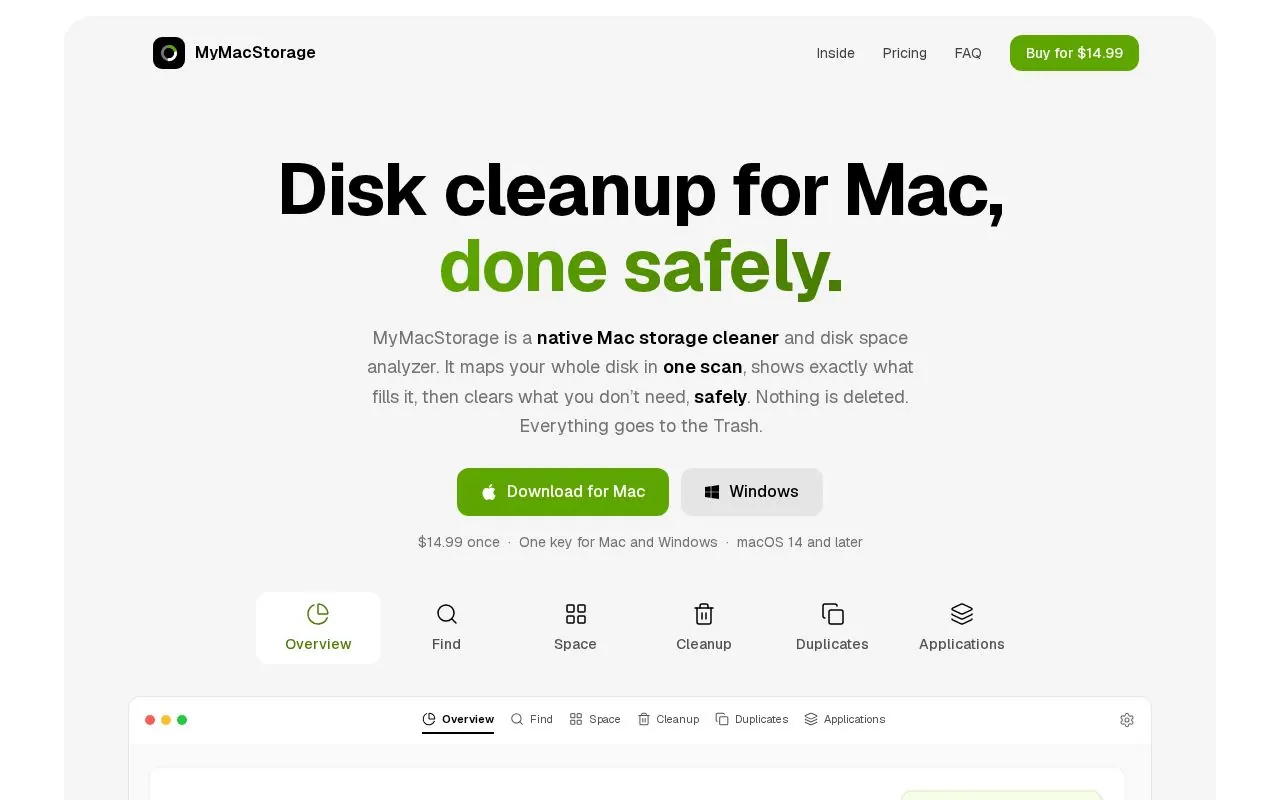
Disk cleanup for Mac, done safely.

$14.99 once · Navnit rai

MyMacStorage screenshot 1
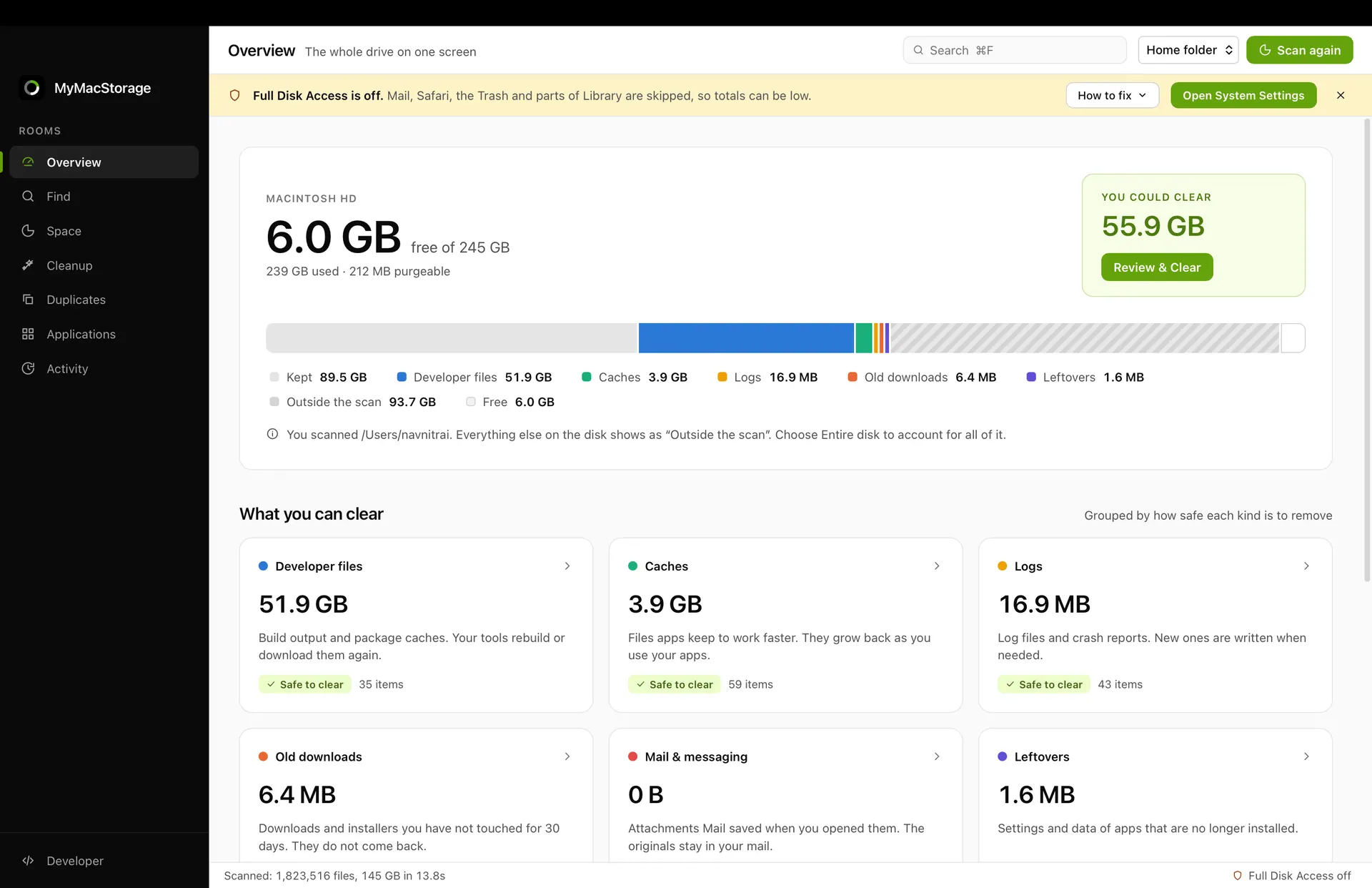
MyMacStorage screenshot 2
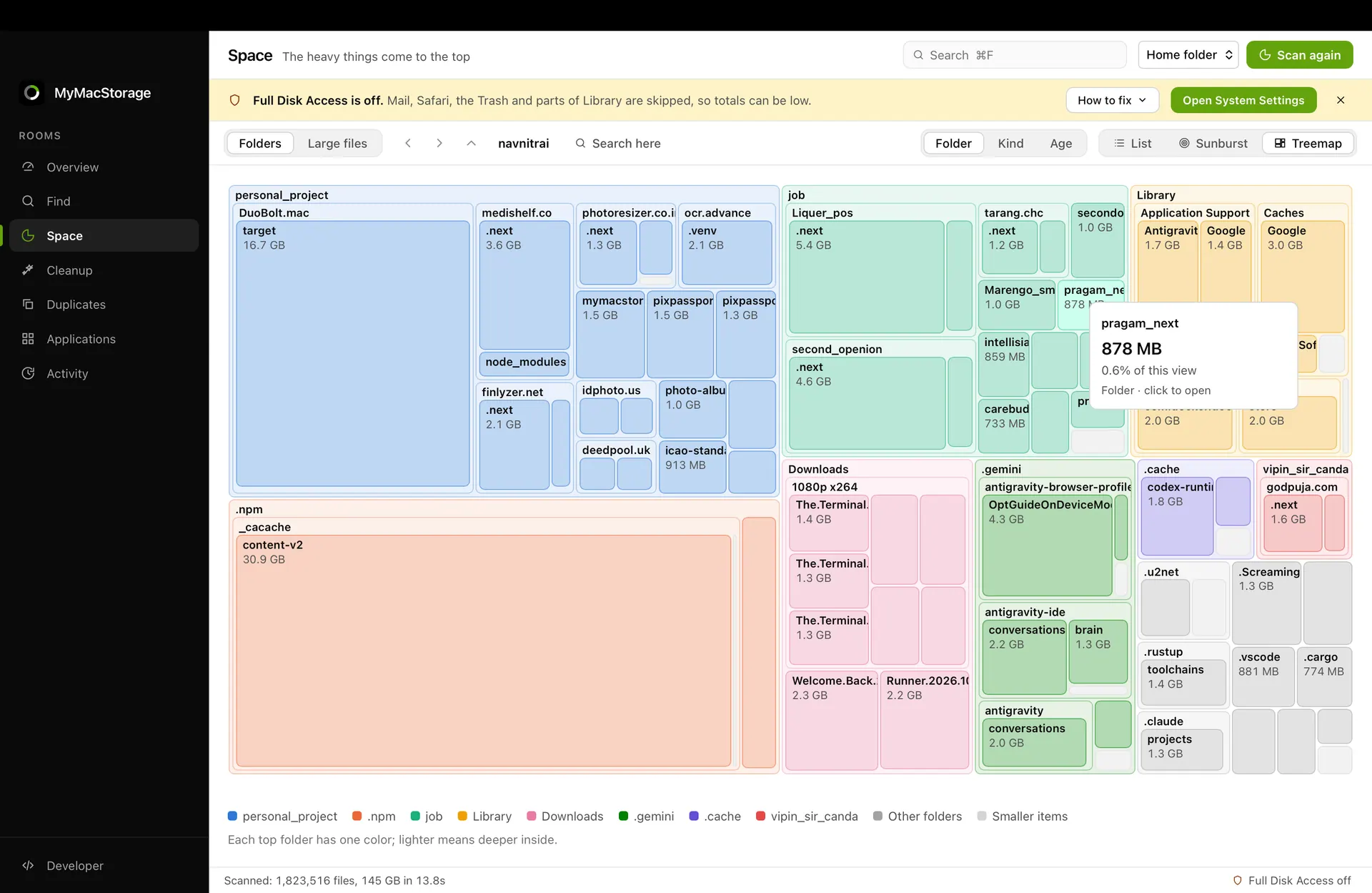
MyMacStorage screenshot 3
Mac
Mac
Version 1.1.1
Version 1.1.1
macOS 14 or later
macOS 14 or later
5 MB
5 MB
$14.99 once
$14.99 once

Overview

MyMacStorage is a native Mac storage cleaner and disk space analyzer. It scans the whole disk in one pass, shows what is using space, and groups items such as caches, developer files, old installers, duplicates, large files, and app leftovers. Users can review each item’s size and location before choosing what to clear.

The app moves cleanup selections to the Trash rather than deleting them permanently, and a one-click undo can restore a cleanup. Scanning, hashing, and duplicate matching run on the Mac; the page says filenames are not uploaded. MyMacStorage supports macOS 14 and later and is sold with a one-time licence that covers Mac and Windows, with future updates included.

Highlights

  • Maps the whole disk in one scan
  • Finds large files, duplicates, caches, and app leftovers
  • Shows each item’s size and location before cleanup
  • Moves files to the Trash with one-click undo
  • One-time licence covers Mac and Windows
Questions about MyMacStorage

How much does MyMacStorage cost?
MyMacStorage costs $14.99 once as a one-time purchase, with no subscription.
What are the system requirements for MyMacStorage?
MyMacStorage runs on macOS 14 or later. The download is about 5 MB.
Who makes MyMacStorage?
MyMacStorage is developed by Navnit rai. The latest version we list is 1.1.1.
Where can I download MyMacStorage?
You can download MyMacStorage from the developer's website, mymacstorage.com.
What are the best alternatives to MyMacStorage?
CleanMyMac, Magnet and Paste are the top-ranked alternatives to MyMacStorage on Mac App Index, by shared features and community votes. Compare all 24 on the MyMacStorage alternatives page.

More like MyMacStorage