
Submit app
EdgeBar icon
New

EdgeBar

Volume and brightness sliders on your trackpad edges

$9 · Shashank Bhardwaj

EdgeBar screenshot 1
EdgeBar screenshot 2
EdgeBar screenshot 3
EdgeBar screenshot 4
EdgeBar screenshot 5
EdgeBar screenshot 6
Mac
Mac
Version 1.11
Version 1.11
macOS 13.0 or later
macOS 13.0 or later
$9
$9

Overview

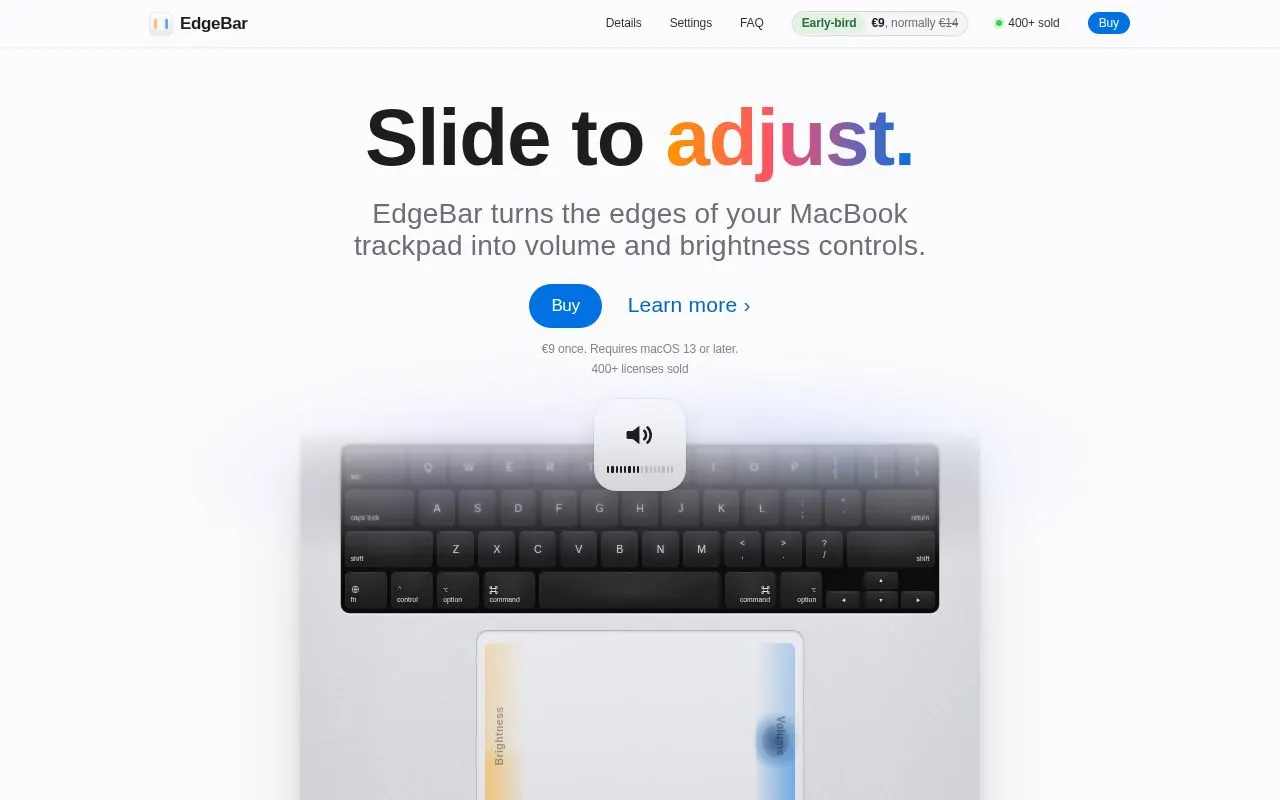
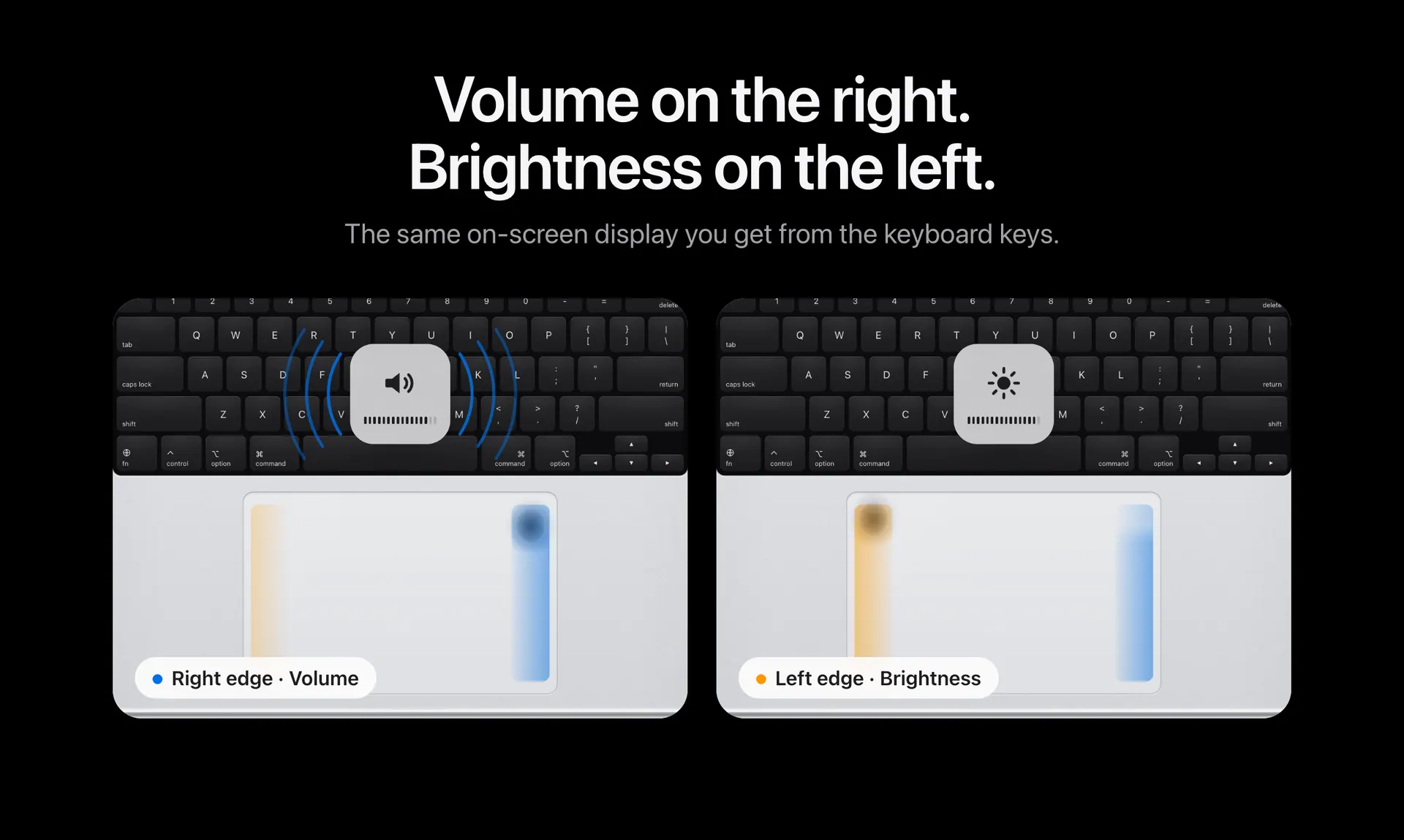
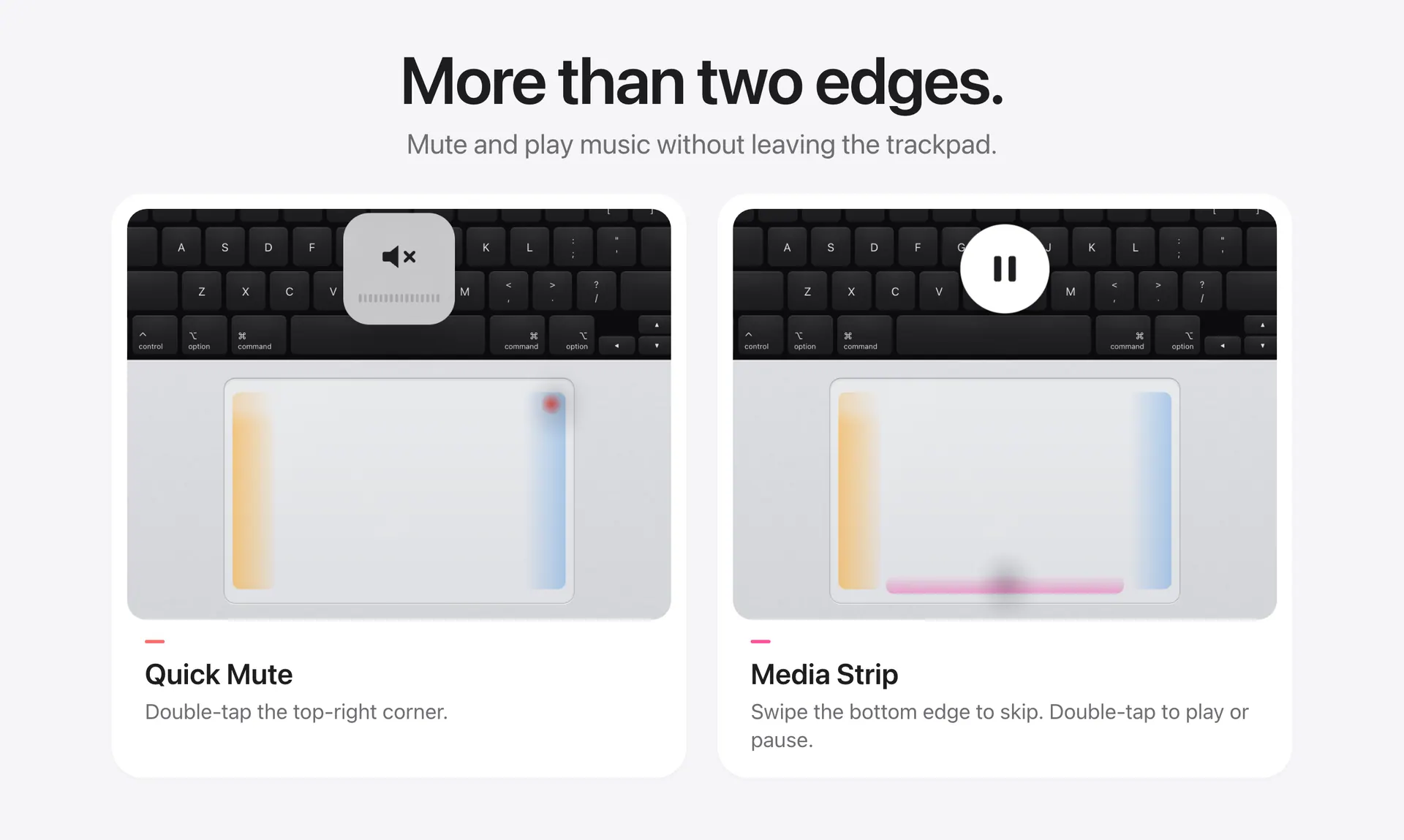
EdgeBar turns the edges of a MacBook trackpad into controls for volume and brightness, with the same on-screen display shown when using keyboard keys. It also offers Quick Mute, a media strip for playback controls, haptic feedback, fine control and cursor freeze.

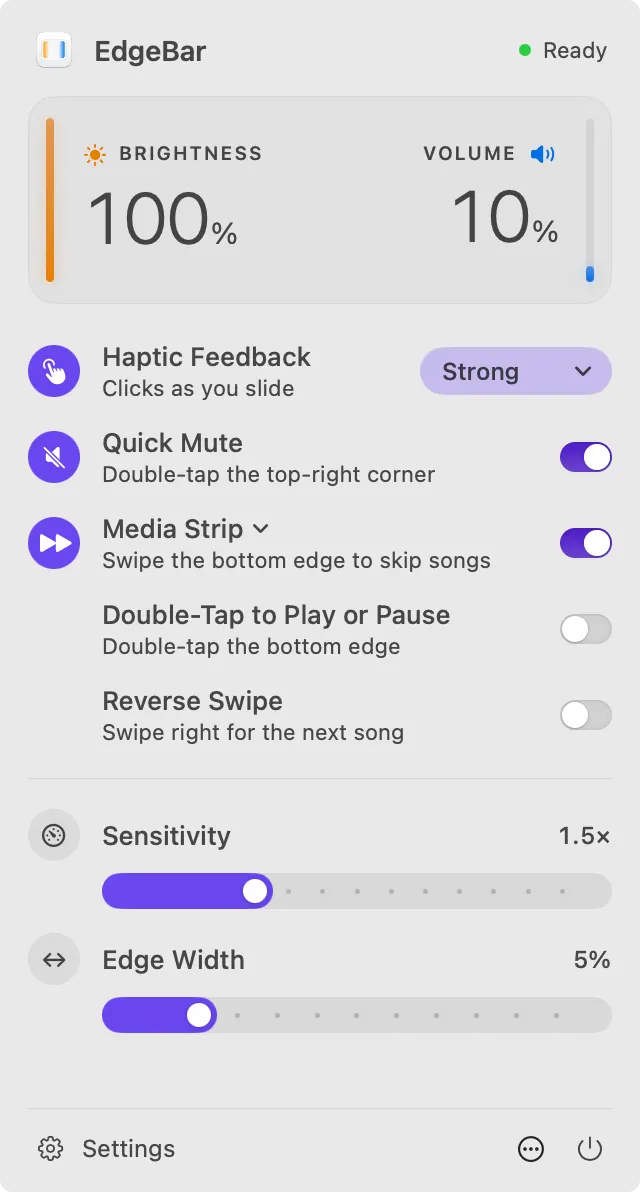
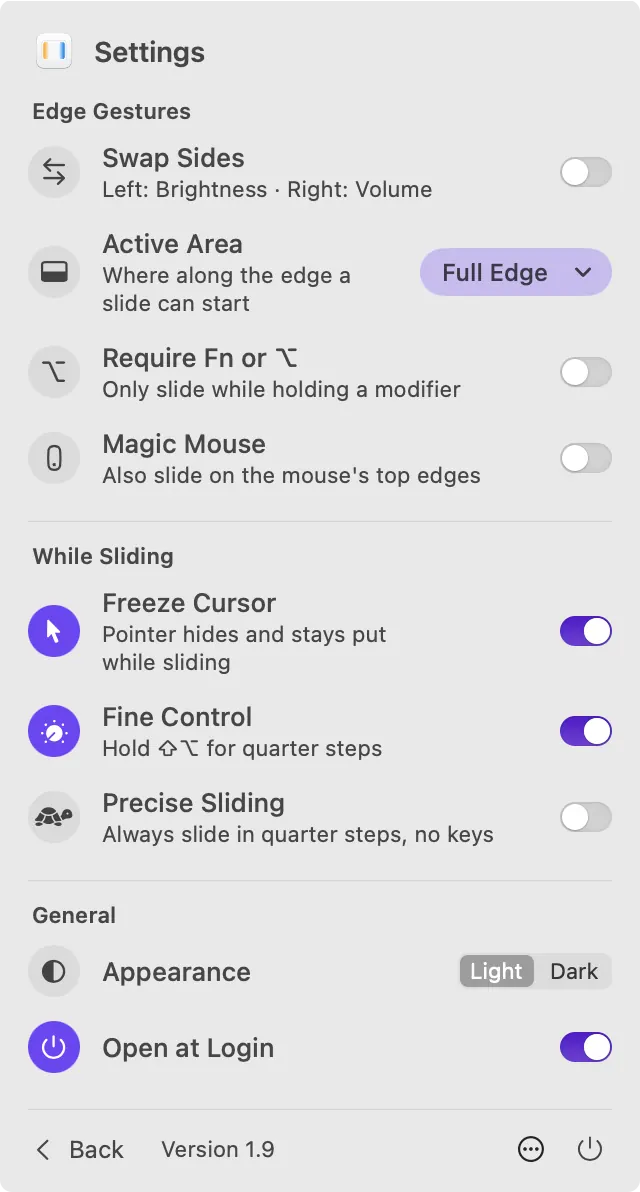
The app lives in the menu bar and has no Dock icon. Settings include swapping the control sides, limiting the active area, requiring a modifier, and choosing an appearance. EdgeBar costs $9 as a one-time purchase, includes a lifetime license and free 1.x updates, and requires macOS 13 Ventura or later.

Highlights

  • Adjust volume and brightness from trackpad edges
  • Quick Mute with a double-tap
  • Media Strip for playback controls
  • Haptic feedback and fine control
  • Menu bar app with no Dock icon

Questions about EdgeBar

How much does EdgeBar cost?
EdgeBar costs $9 as a one-time purchase, with no subscription.
What are the system requirements for EdgeBar?
EdgeBar runs on macOS 13.0 or later.
Who makes EdgeBar?
EdgeBar is developed by Shashank Bhardwaj. The latest version we list is 1.11.
Where can I download EdgeBar?
You can download EdgeBar from the developer's website, edgebar.xyz.
What are the best alternatives to EdgeBar?
Automater Lite, Brink and ScreenFit are the top-ranked alternatives to EdgeBar on Mac App Index, by shared features and community votes. Compare all 24 on the EdgeBar alternatives page.

More like EdgeBar