Overview
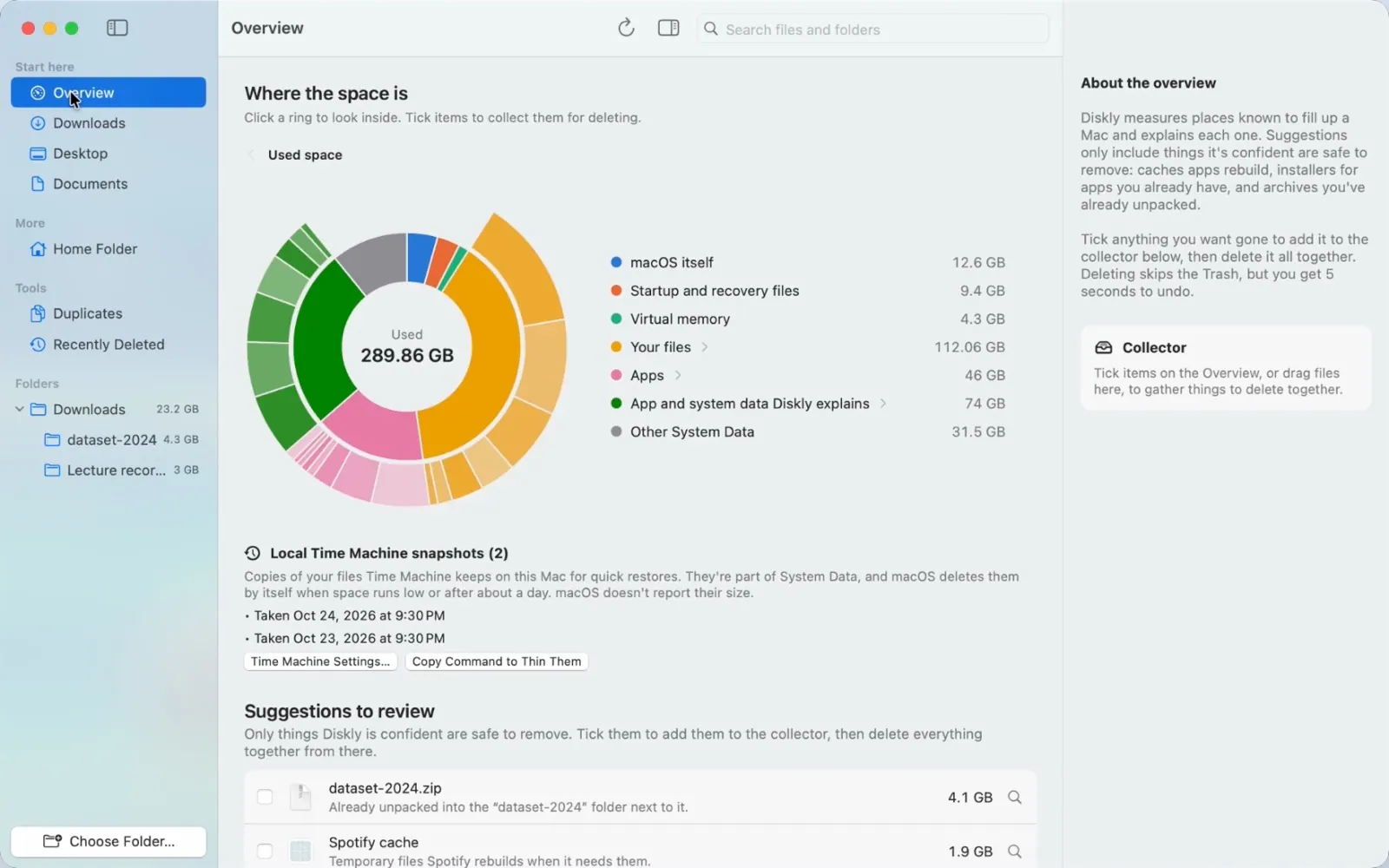
Your Mac says "System Data: 80 GB" and leaves it at that. Diskly shows what's actually inside, item by item, in plain words, and helps you remove only what's truly safe. It's an explainer, not a cleaner.
What it does
- System Data, explained: caches, Xcode data, old backups, Docker, AI models, the Trash and more, with the right fix for each one.
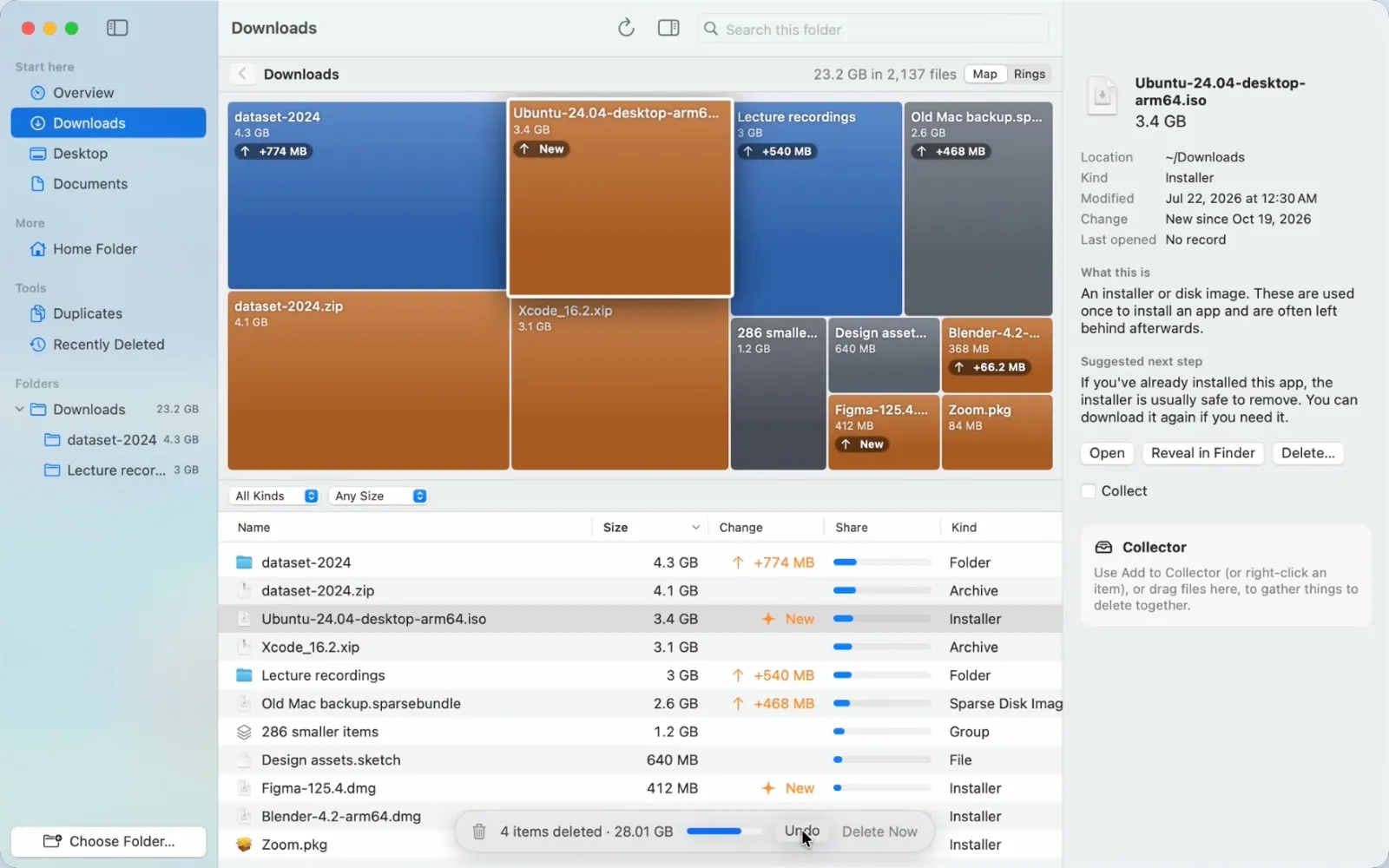
- Folder view: a treemap and a sortable list for Downloads, Documents, iCloud Drive or any folder, showing size, change since last week and when you last opened each item. There are plain-language explanations for everything, plus Quick Look and keyboard navigation.
- What grew: each scan is compared with one from up to a week earlier, so you can see what's eating your space.
- Duplicates: finds identical files over 1 MB and always keeps one copy.
- Search: find any file or folder and jump straight to it on the map.
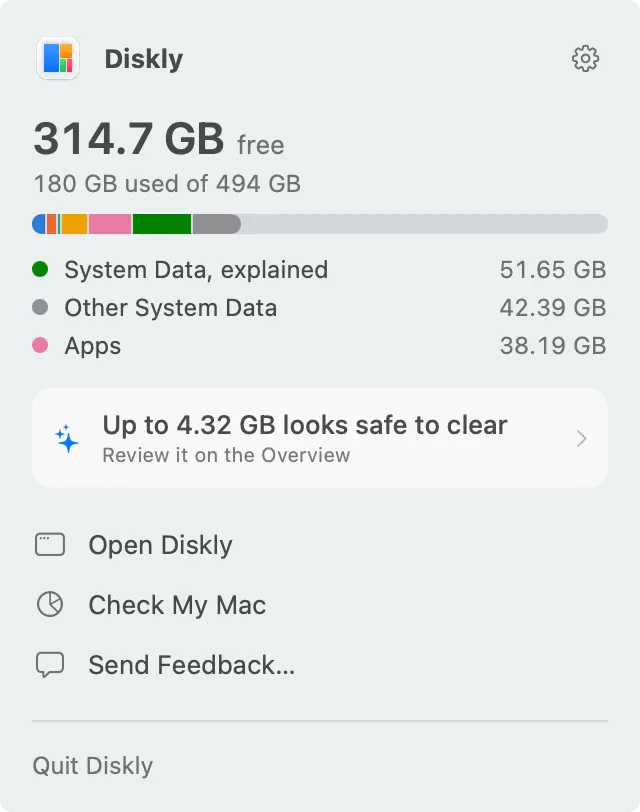
- Menu bar: shows your free space at a glance and warns you before the disk fills up.
Built to be safe
- Scanning only reads your disk, and nothing is deleted without your confirmation.
- Deleting frees the space right away, but you get an 8-second Undo (⌘Z) first, and Recently Deleted keeps a record of what was removed.
- Protected items are never offered for deletion. That includes system files, hidden items, standard folders, the Photos library, and caches of apps that are open.
Honest pricing
Understanding your disk is free, forever. There are no scary "junk" counters and no scans that find problems you have to pay to fix. Diskly Pro adds the tools to clear space safely for a one-time $14 (launch price), for 2 Macs, with no subscription.
Private by design
There's no account and no analytics, and nothing about your files leaves your Mac. Diskly is a native Swift app made by one independent developer, and it's signed and notarized by Apple.