Submit app
Remotehand icon
New

Remotehand

A real terminal on your Mac for your AI, with a kill switch

€9.99 once · Coconut Joe Ltd

Remotehand screenshot 1
Remotehand screenshot 2
Remotehand screenshot 3
Remotehand screenshot 4
Mac
Mac
Version 0.1.6
Version 0.1.6
macOS 14 or later
macOS 14 or later
€9.99 once
€9.99 once

Overview

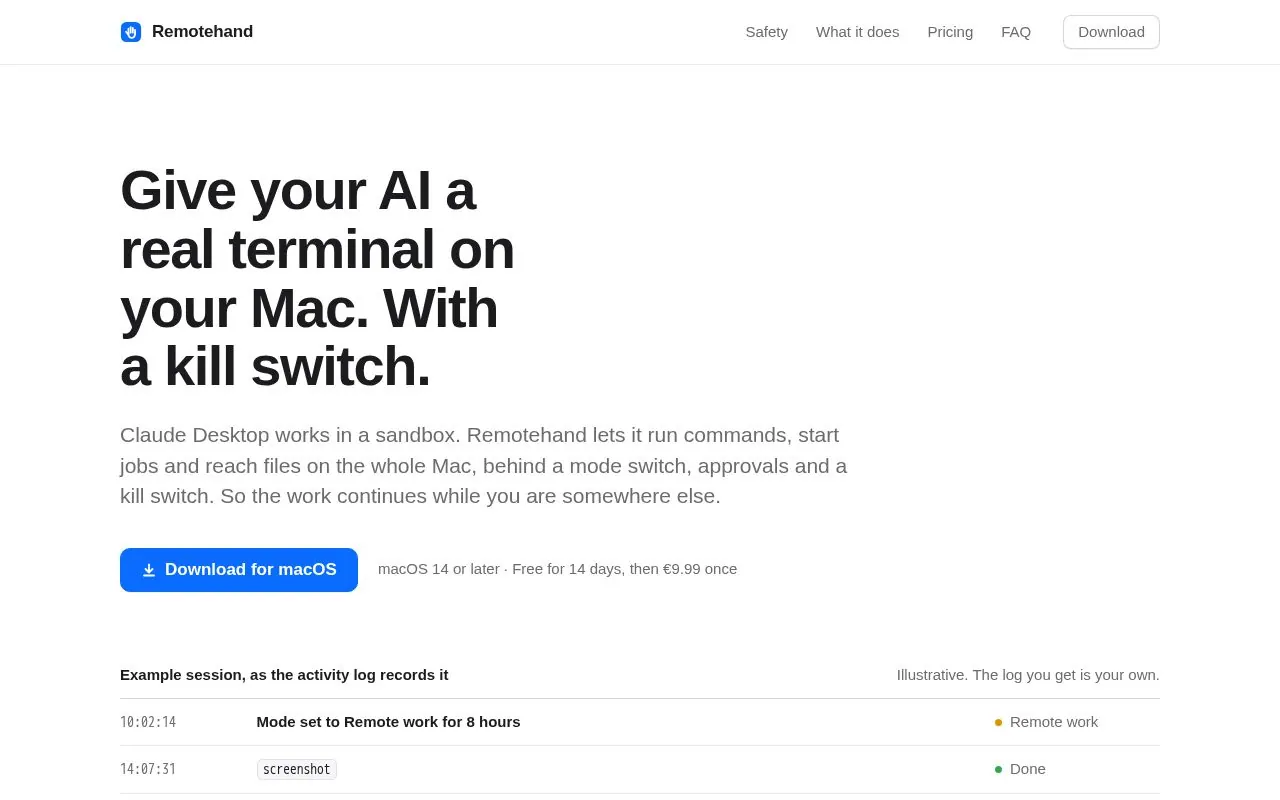
Remotehand connects Claude Desktop to your Mac so it can run shell commands, start long jobs, view and control the screen, work with files and open apps. It runs from the menu bar on macOS 14 or later, on Apple silicon and Intel, and is notarized by Apple.

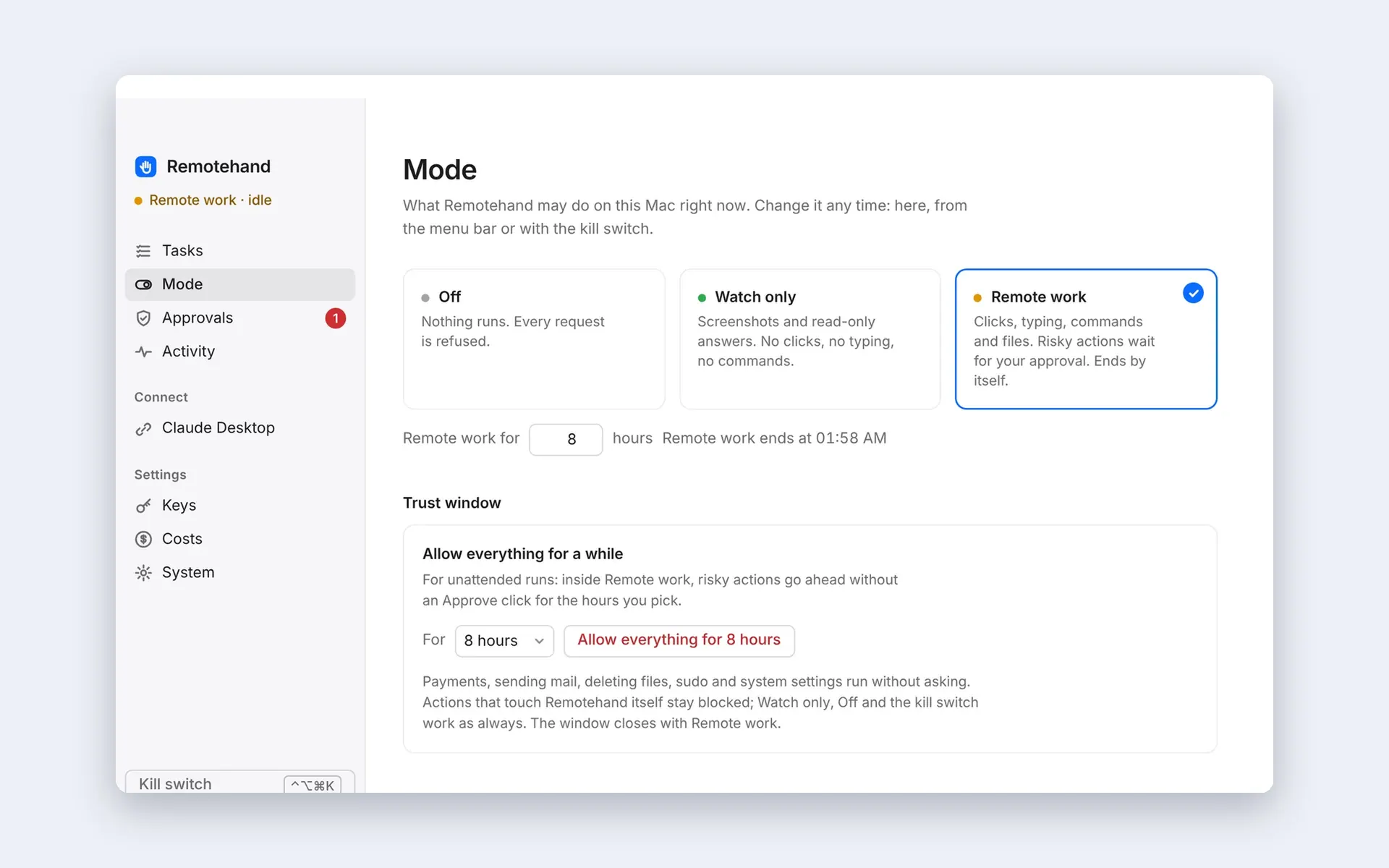
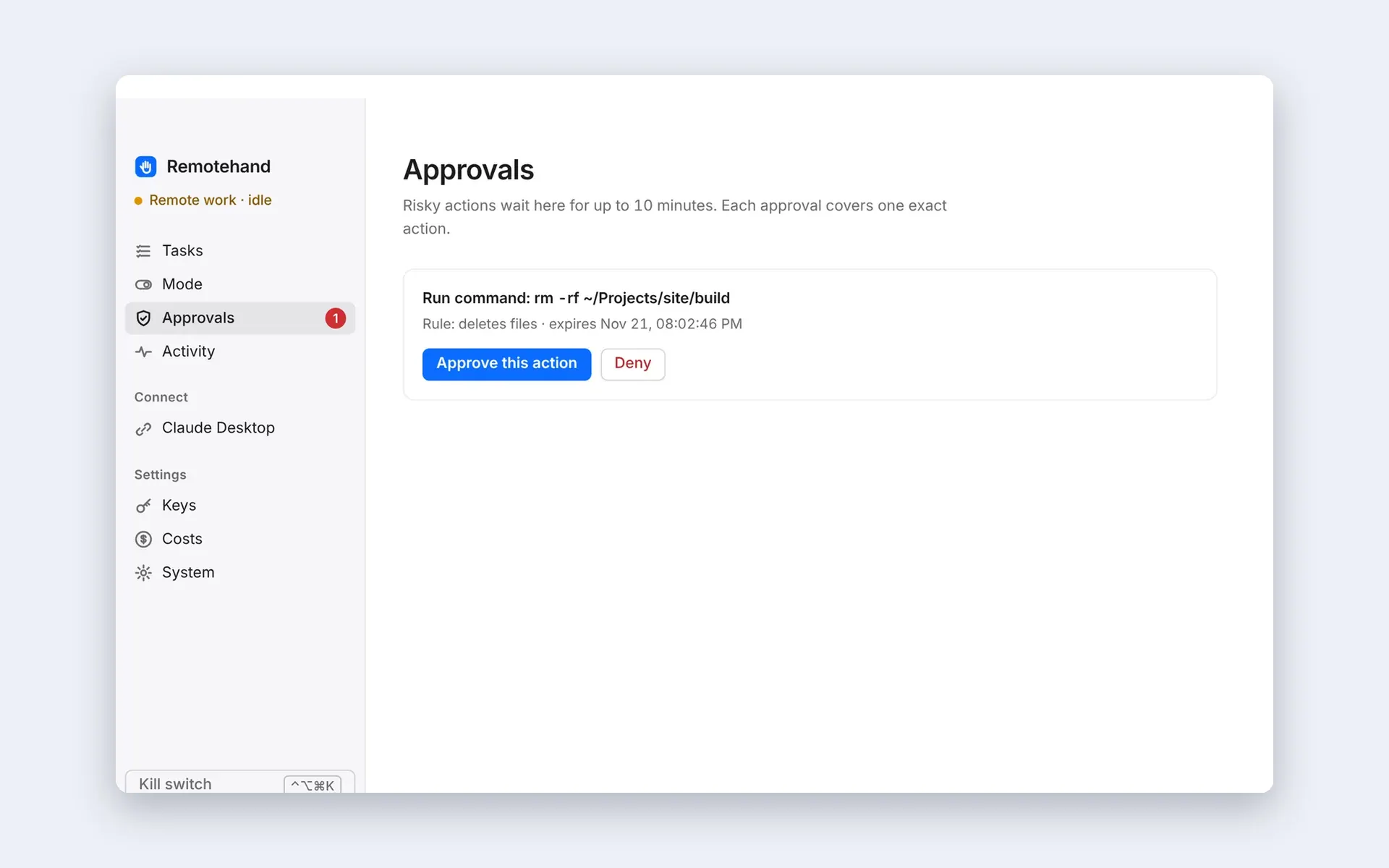
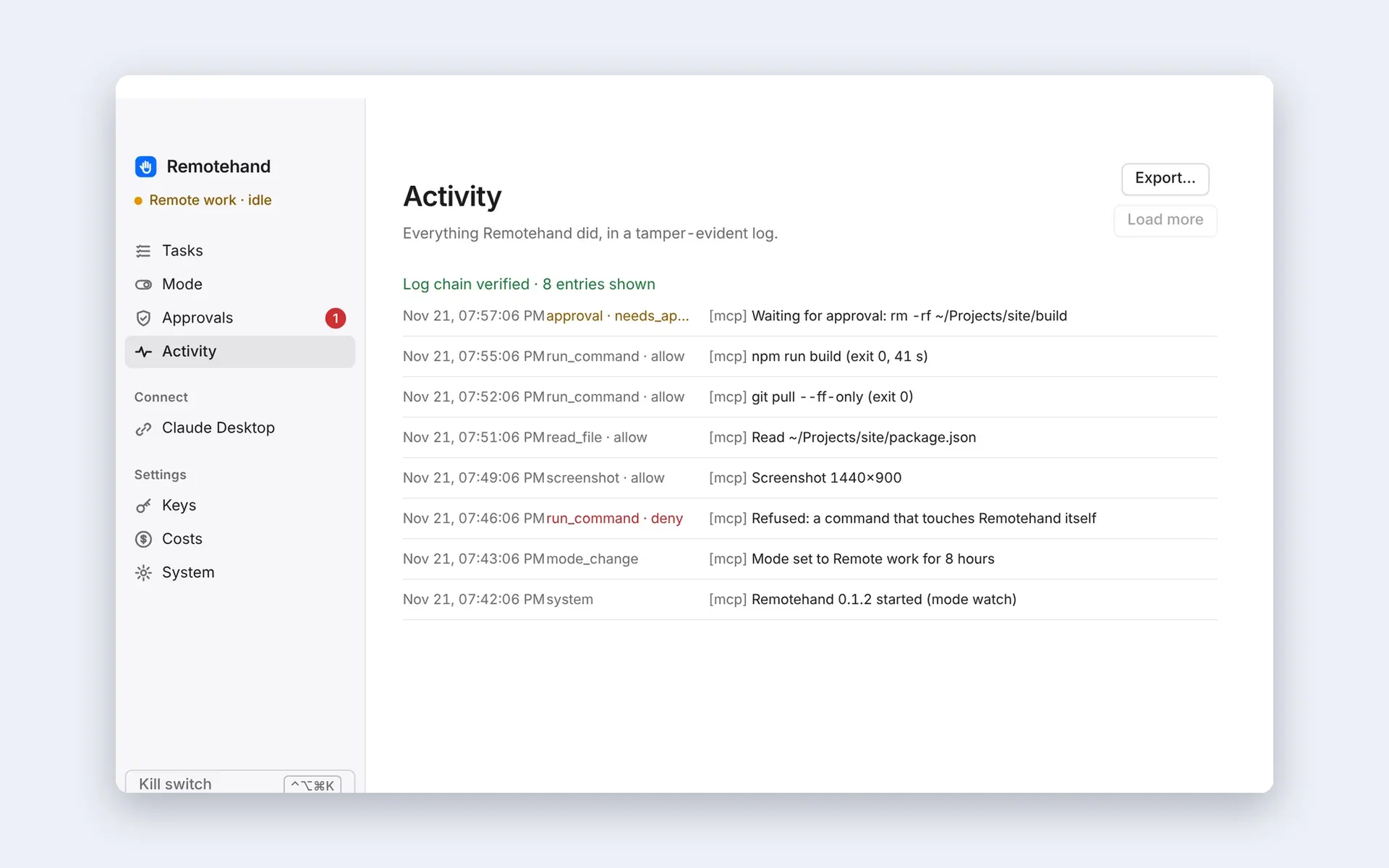
You stay in control: a mode switch decides whether requests are refused, read-only (Watch only) or allowed (Remote work). Risky actions such as sudo, deletes, installs and system settings wait for your approval, and a kill switch stops everything at once. Every action is written to a tamper-evident activity log. There is no account and no telemetry.

Highlights

  • Menu bar modes: Off, Watch only and Remote work
  • Approval prompts for risky actions
  • One-keystroke kill switch
  • Tamper-evident activity log
  • Shell commands, background jobs up to 30 minutes, screen control and file access
  • One click to add it to Claude Desktop

Free for 14 days, then a one-time purchase of €9.99.
Questions about Remotehand

How much does Remotehand cost?
Remotehand costs €9.99 once as a one-time purchase, with no subscription.
What are the system requirements for Remotehand?
Remotehand runs on macOS 14 or later.
Who makes Remotehand?
Remotehand is developed by Coconut Joe Ltd. The latest version we list is 0.1.6.
Where can I download Remotehand?
You can download Remotehand from the developer's website, remotehand.app.
What are the best alternatives to Remotehand?
iTerm2, Ghostty and Warp are the top-ranked alternatives to Remotehand on Mac App Index, by shared features and community votes. Compare all 24 on the Remotehand alternatives page.

More like Remotehand